Info screen (stairwell display)
VAREK’s info screen is a view designed for a display placed in a stairwell or lobby (a tablet or a TV). It shows the housing association’s announcements and upcoming bookings without signing in, and refreshes itself every few minutes.
The info screen never shows the announcement’s author, and bookings show only the facility and the time — never the booker’s name or apartment. Note, however, that announcement text is shown on the display as written: avoid putting personal data (such as residents’ names or apartment numbers) in announcements if the association has an info screen in a public space.
Create a display link
Section titled “Create a display link”Creating a display link requires administrator rights.
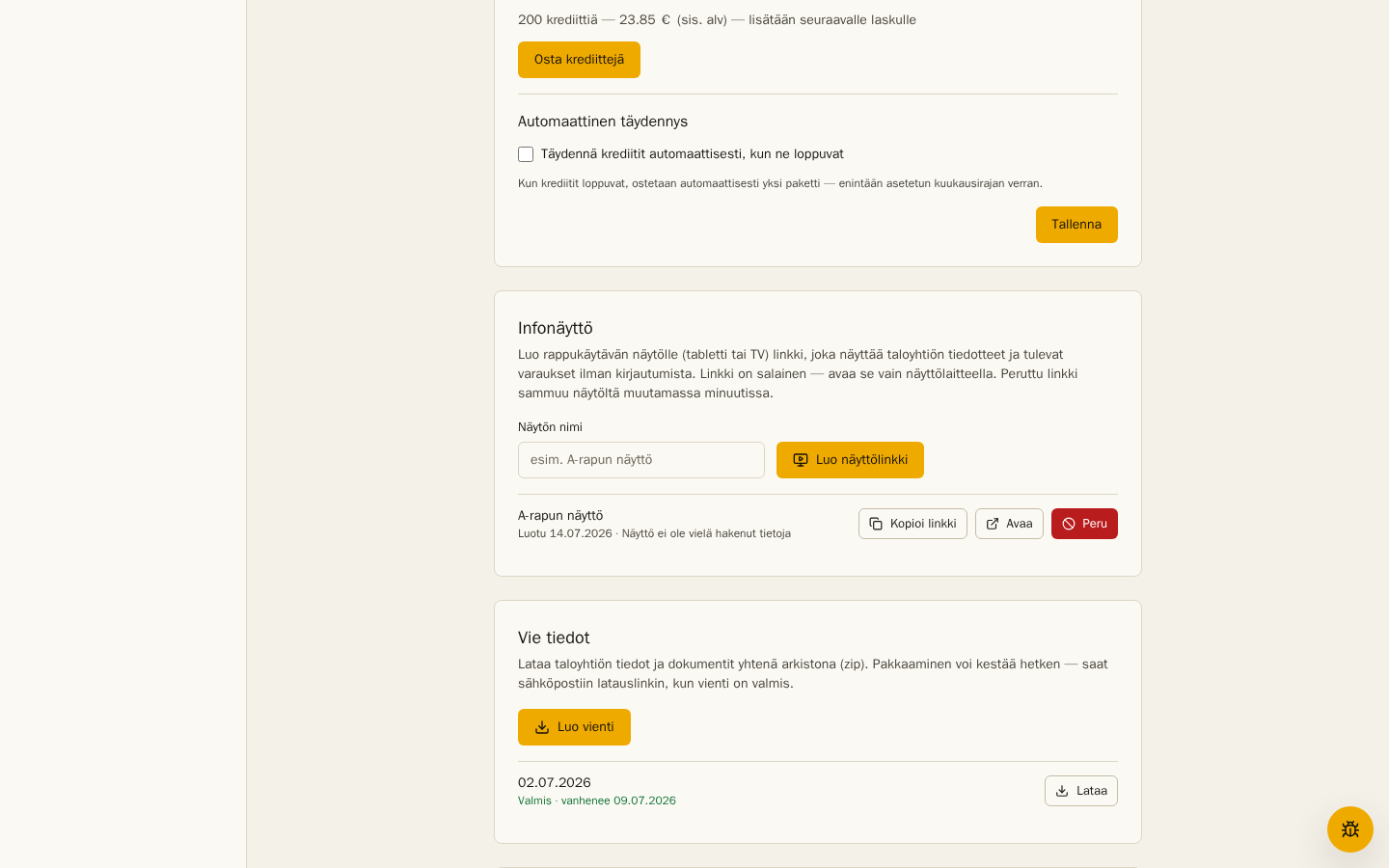
- Open Settings and scroll to Info screen.
- Give the display a name (e.g. Stairwell A display) and choose Create display link.
- Choose Copy link and open it in the display device’s browser.
The display is always in Finnish regardless of the device’s language settings.
For an English display, append ?lang=en to the link.
What the display shows
Section titled “What the display shows”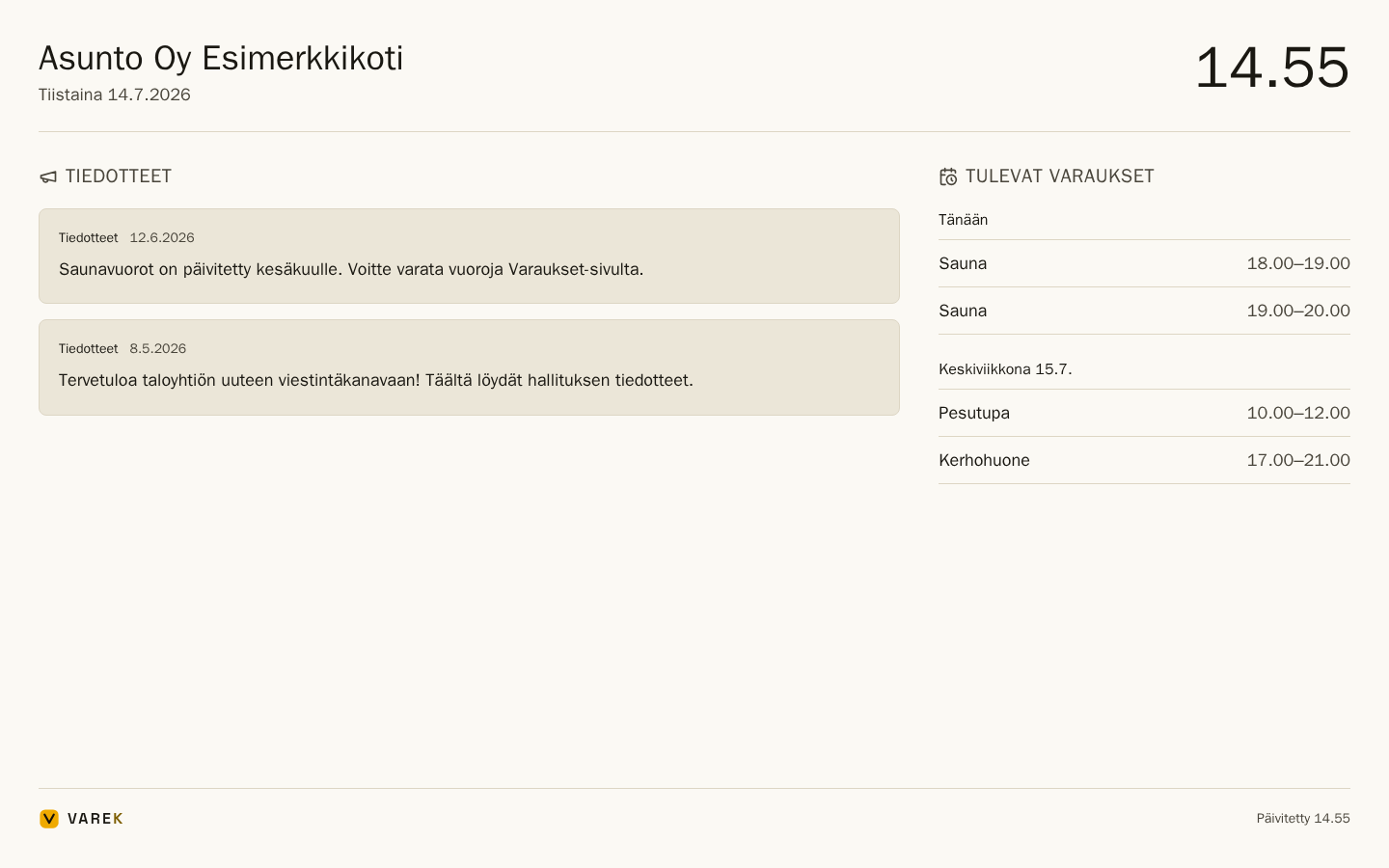
- Announcements — messages from announcement channels, newest first; pinned announcements are lifted to the top. Only announcement channels appear — regular chat channels never do.
- Upcoming bookings — the next seven days’ confirmed bookings (e.g. sauna slots and the laundry room) by facility and time.
- Clock and date — the display doubles as a lobby clock.
The display fetches new data automatically every five minutes, so a new announcement appears on the screen by itself.
Revoke a display link
Section titled “Revoke a display link”If the display device goes missing or the link ends up in the wrong hands, revoke the link:
- Open Settings → Info screen.
- Choose Revoke on the display’s row and confirm.
The display goes dark on its next refresh — within five minutes at most. The row also shows when the display last fetched data, so you can see at a glance whether the device is running.