Reports
On the Reports tab you produce the material your accountant and the financial statements need: a VAT calculation and the full financial-statement material as a ZIP package. The arrears list of resident receivables is on the Resident invoices page.
VAT calculation (ALV-laskelma)
Section titled “VAT calculation (ALV-laskelma)”The VAT calculation gathers the deductible input VAT from purchase invoices, the reverse-charge VAT under AVL section 8c, and output VAT on sales (e.g. commercial-unit charges) for the chosen period. Output VAT is computed on an accrual basis by invoice date, and only VAT-stamped invoices are included — a commercial unit’s VAT treatment is chosen in the apartment’s details (Buildings and apartments → edit apartment → VAT treatment), and the configured charges are VAT-inclusive, so invoice totals do not change.
Below the table, a VAT return figures (OmaVero) card picks the selected period’s figures per the OmaVero field codes, with copy buttons. The field codes are date-stamped — verify they are current in OmaVero. The card is a helper report: the bookkeeper is responsible for the filing.
- Open Talous → Raportit (Finances → Reports).
- Check the fiscal year in the top-right corner.
- Choose the period granularity: Kuukausittain (Monthly) or Neljänneksittäin (Quarterly).
- Download the result with Lataa CSV (Download CSV) or Lataa PDF (Download PDF).
Financial-statement material
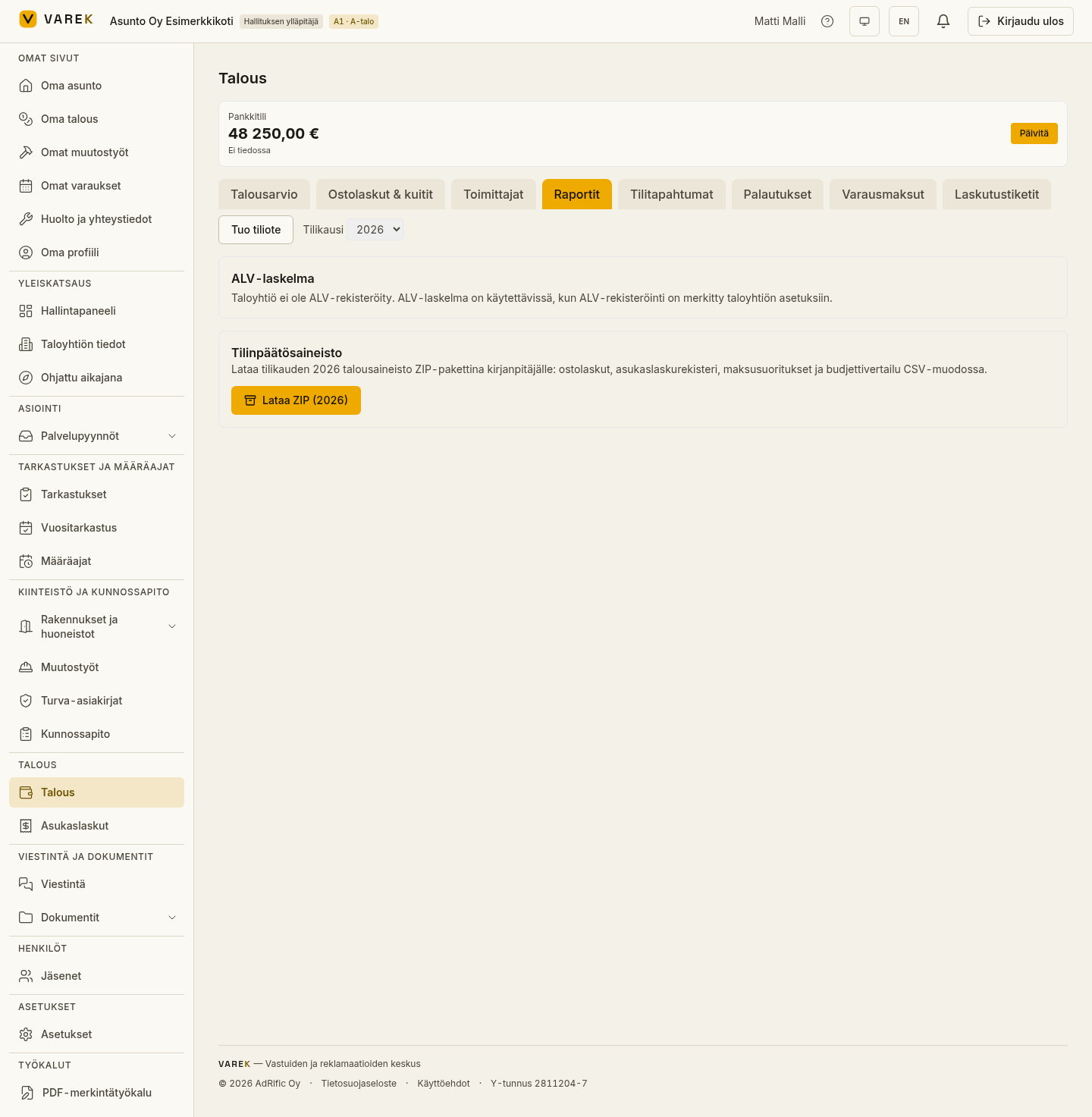
Section titled “Financial-statement material”The financial-statement material is a single ZIP package that contains the fiscal year’s financial data as Finnish CSV files (purchase invoices, resident invoices and their lines, payments, budget vs. actuals) plus a README file.
- Open Talous → Raportit (Finances → Reports).
- Make sure the fiscal year is correct.
- Press Lataa ZIP (vuosi) (Download ZIP) — the button shows the chosen fiscal year, e.g. Lataa ZIP (2026).
The package is built in your browser, so the download may take a moment for large data sets.
Arrears list (rästilista)
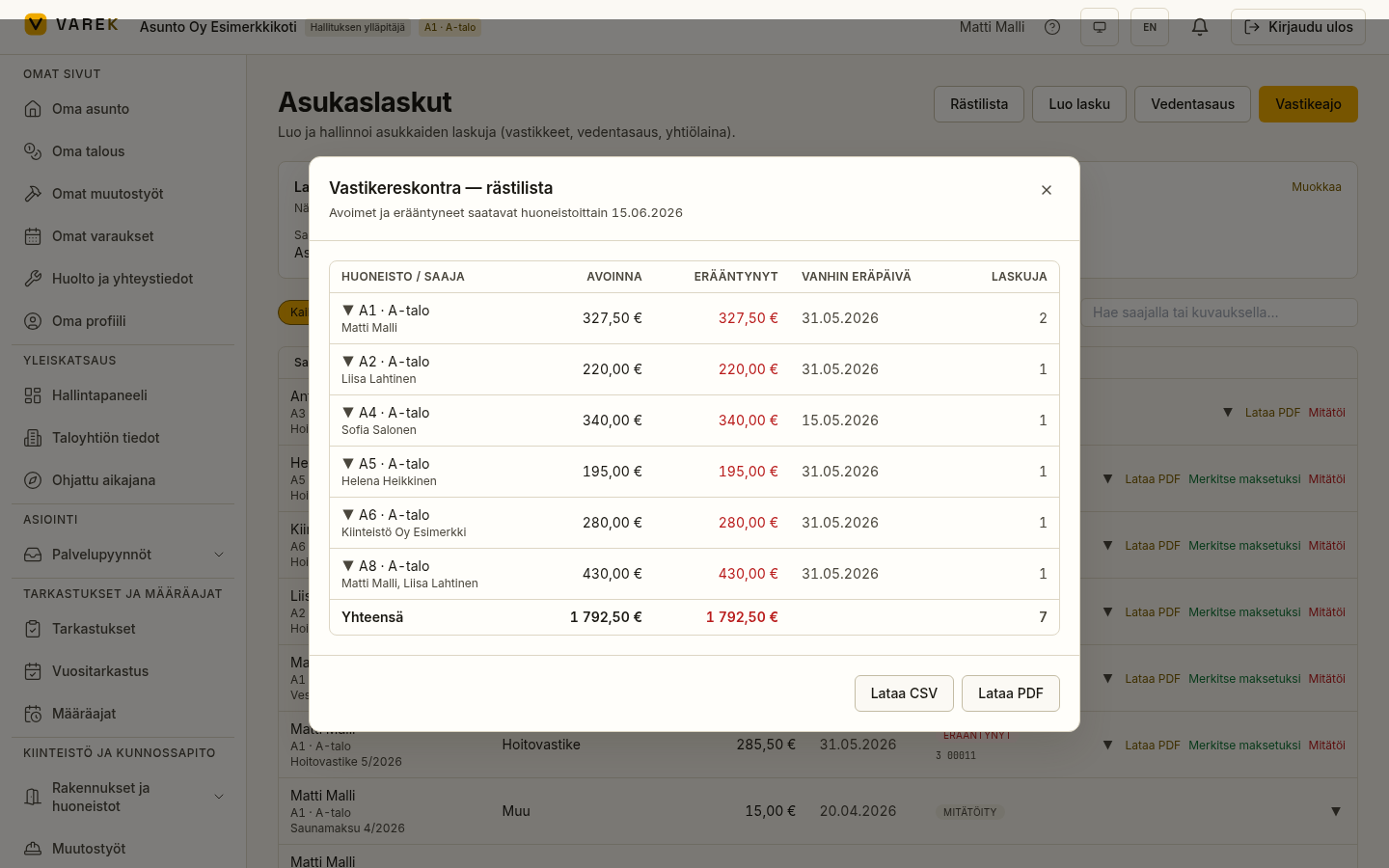
Section titled “Arrears list (rästilista)”The arrears list is a per-apartment summary of open and overdue resident receivables.
- Open Asukaslaskut (Resident invoices).
- Press Rästilista (Arrears list) at the top.
- Expand an apartment to see its individual open invoices.
- Download as CSV or PDF.
Result
Section titled “Result”You get ready-made files to hand to your accountant. The VAT calculation and the financial-statement material follow the chosen fiscal year; the arrears list reflects the situation at the moment you open it.