Anomalous invoice alerts
VAREK watches the purchase-invoice register for you: every new invoice is compared against the same supplier’s and expense category’s historical level. If an invoice clearly deviates from the norm — for example the maintenance company can’t fix a fault itself and an external contractor bills far more than the usual maintenance invoice — the invoice is flagged as anomalous and the board and property manager are notified.
When is an invoice flagged?
Section titled “When is an invoice flagged?”Detection is computational and the reasoning is always shown — no AI and no guesswork:
- Supplier level exceeded — the amount exceeds the same supplier’s median level over the past year by more than the alert threshold (default 100%, i.e. double) and the difference is at least the minimum difference (default €200).
- Category level exceeded — when the supplier has too little invoice history, the same expense category’s level is used instead.
- New supplier with a larger-than-usual invoice — a previously unknown supplier bills at least twice the association’s normal invoice level. This rule only activates once the register has enough history (at least 10 invoices over the past year).
A new association’s first invoices are therefore not flagged needlessly — the system learns the normal level from the invoice history.
What happens on an anomaly?
Section titled “What happens on an anomaly?”- The invoice gets an Anomalous marker in the purchase-invoice register (Finances → Purchase invoices & receipts). The list can be filtered by anomalies.
- Board members and the property manager receive an in-app notification.
- If enabled in the settings, the same alert also goes out by email and/or SMS.
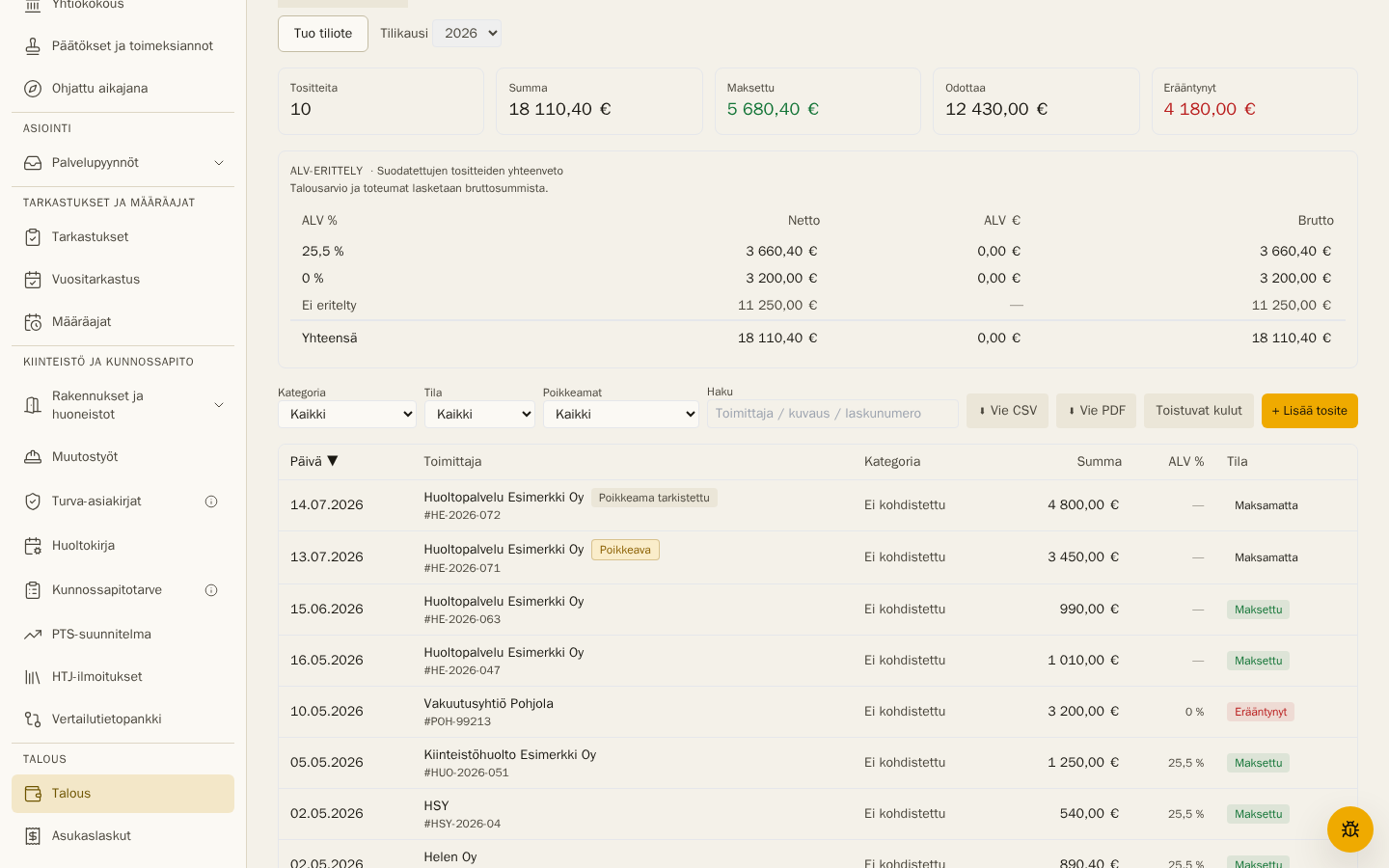
The invoice details show the reason and the reference level (e.g. “normal level €1,000, this invoice €3,500”). Once the board has reviewed the invoice, mark it handled with Mark as reviewed — the marker and the reviewer remain permanently visible.
If the invoice amount is later corrected back to a normal level, an open anomaly flag is removed automatically. An already-reviewed anomaly is always retained.
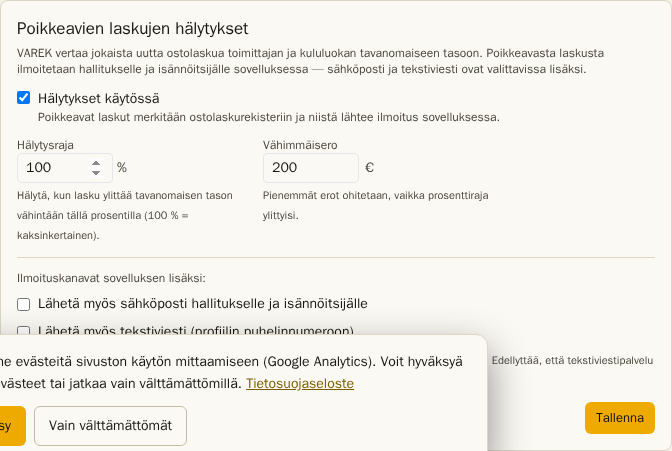
Settings
Section titled “Settings”Open Settings → Anomalous invoice alerts (board admin):
- Alerts enabled — on by default; in-app notifications and register markers.
- Alert threshold (%) — how much the normal level may be exceeded before alerting (default 100%).
- Minimum difference (€) — smaller differences are ignored entirely (default €200).
- Email — also email the anomaly to the board and the property manager.
- SMS — also send an SMS to board members and the property manager who have a phone number in their profile.
Email and SMS notifications are off by default — the in-app notification is always sent while alerts are enabled. SMS messages sent by this feature are not charged to the association.