Open a maintenance request
A maintenance request lets you contact an external party — such as the maintenance company, a locksmith or the property manager — straight from VAREK. The request is emailed to the contact, and all messages stay in the same thread. Any accepted member of the housing company can open a maintenance request.
How to open a request
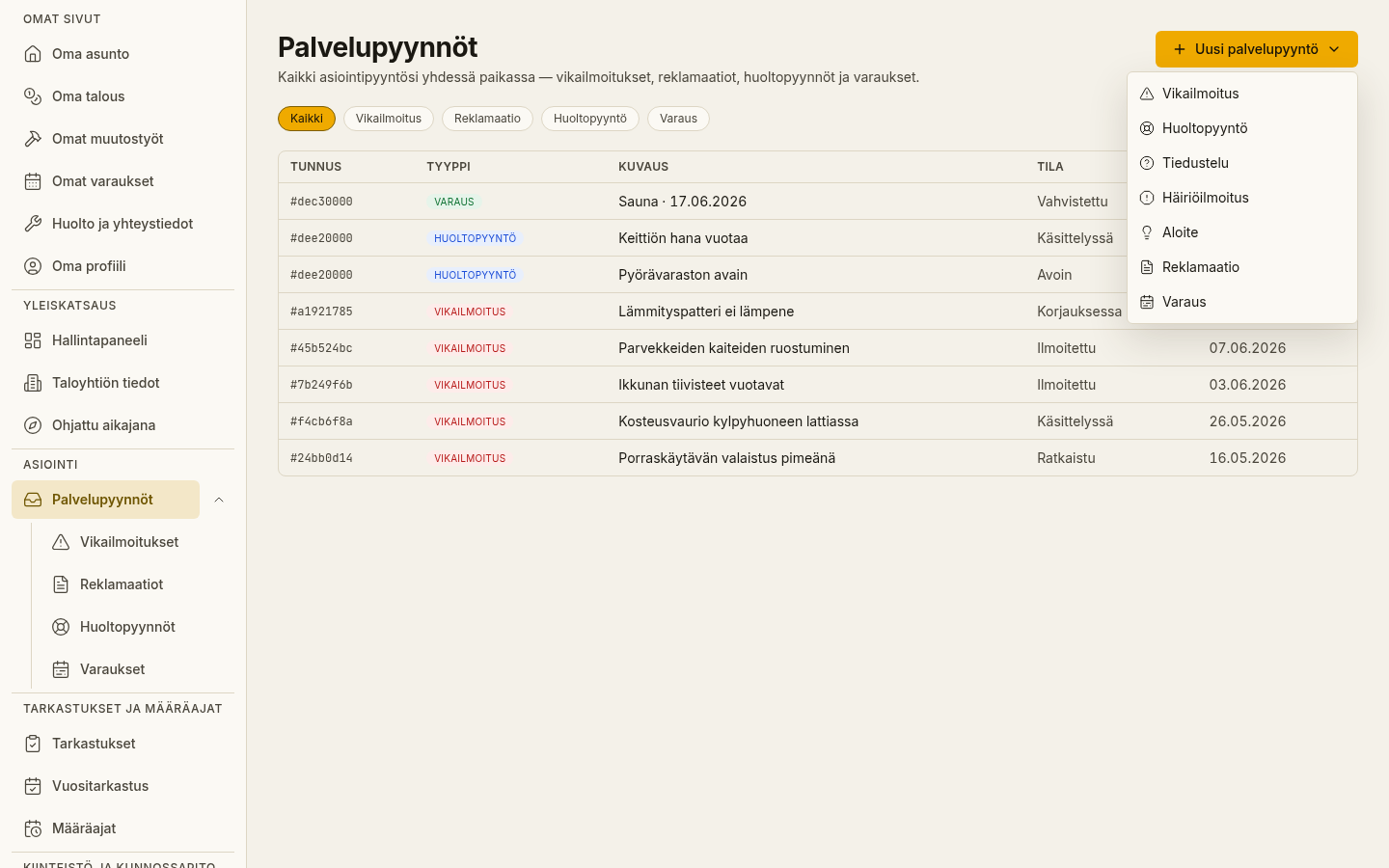
Section titled “How to open a request”- Open “Huoltopyynnöt” (Maintenance requests,
/tiketit) from the menu. - Choose “Uusi pyyntö” (New request).
- Choose the Type — for example maintenance company, locksmith, key service, property manager, security, waste management or emergency. The type determines who the request is routed to.
- Write a short Subject and a descriptive Message.
- Choose “Lähetä pyyntö” (Send request).
What happens next
Section titled “What happens next”VAREK looks up the email address saved for the chosen type in the housing company’s contacts and sends the request there. You’ll get a confirmation:
- “Request sent by email.” — an email address was found for the contact and the message was sent.
- “Request saved (no email address).” — the request was saved, but no email address is saved for that type.
Optional request types
Section titled “Optional request types”The type selector also includes internal request types that the board handles inside VAREK and that are not sent to an external party:
- Inquiry — a general question to the board.
- Disturbance report — a report about, for example, noise or a nuisance.
- Initiative — a suggestion or initiative for the housing company.
Following replies
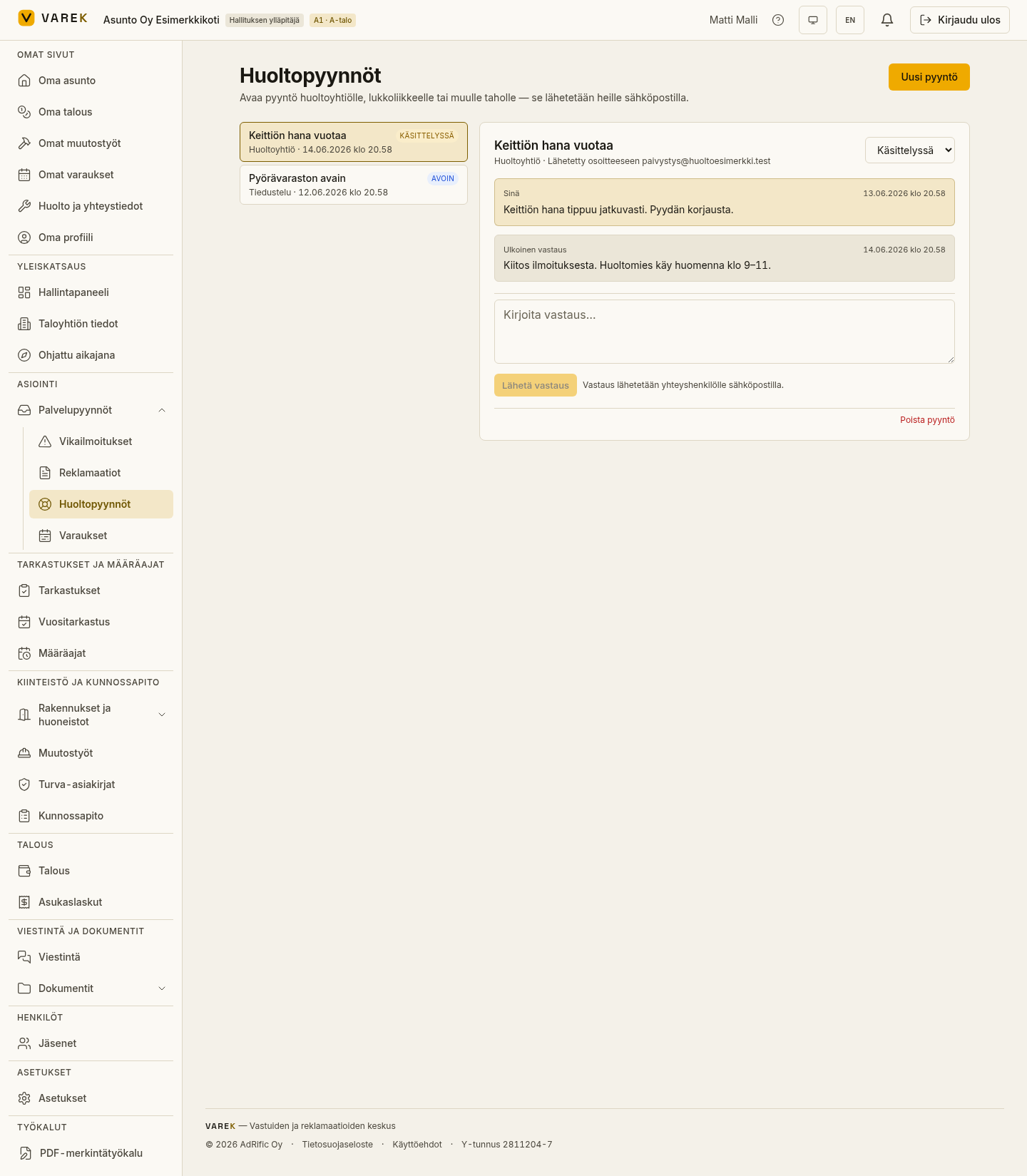
Section titled “Following replies”Open a maintenance request in the Maintenance requests view to see the full message thread. The contact’s email replies appear in the thread marked “External reply”, and the board’s messages with their own marking. The request’s status (Open, In progress, Waiting, Resolved or Closed) is shown at the top of the thread.
From a defect to a maintenance request
Section titled “From a defect to a maintenance request”If you’ve filed a defect report, you can turn it into a maintenance request directly on the defect’s page using the “Create service request” button. The request is pre-filled from the defect and linked back to the defect report.