Maintenance and contacts
The Maintenance & contacts page shows the housing company’s maintenance, lock and key contacts in one place. The page is available to all members of the housing company, and maintaining it is the board admin’s job.
Finding the page
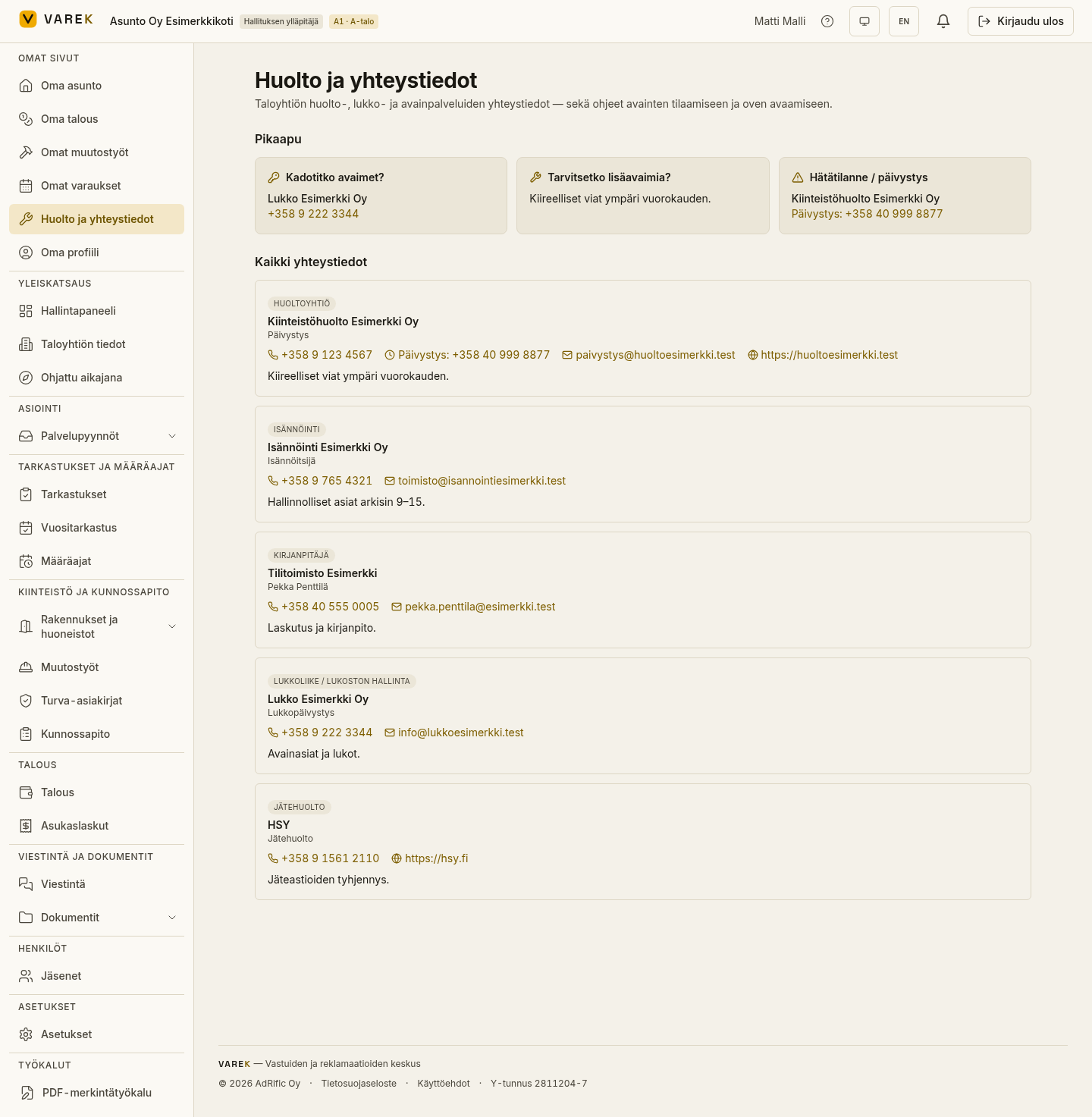
Section titled “Finding the page”Open “Huolto ja yhteystiedot” (Maintenance & contacts, /huolto) from the
menu. You’ll see two sections: Quick help cards for the most common
situations and an All contacts list.
Quick-help cards
Section titled “Quick-help cards”The top of the page highlights the most common situations whenever related contacts have been saved:
- Lost your keys? — gathers the key-service and locksmith contacts. You can tap a number to call directly.
- Need more keys? — shows the instructions saved in the contacts, for example how to order keys.
- Emergency / after-hours — gathers the emergency contacts and every number that has an after-hours number saved.
All contacts
Section titled “All contacts”The list shows every saved contact: the type, the company or contact person, the phone number, any after-hours number, the email, the website and free-text instructions. Phone numbers, emails and websites are tappable.
Contact types:
- Maintenance company
- Locksmith / lock management
- Key service / door opening
- Property manager
- Security
- Waste management
- Emergency
- Accountant
- Other
Maintaining the contacts
Section titled “Maintaining the contacts”:::note For the board admin only.
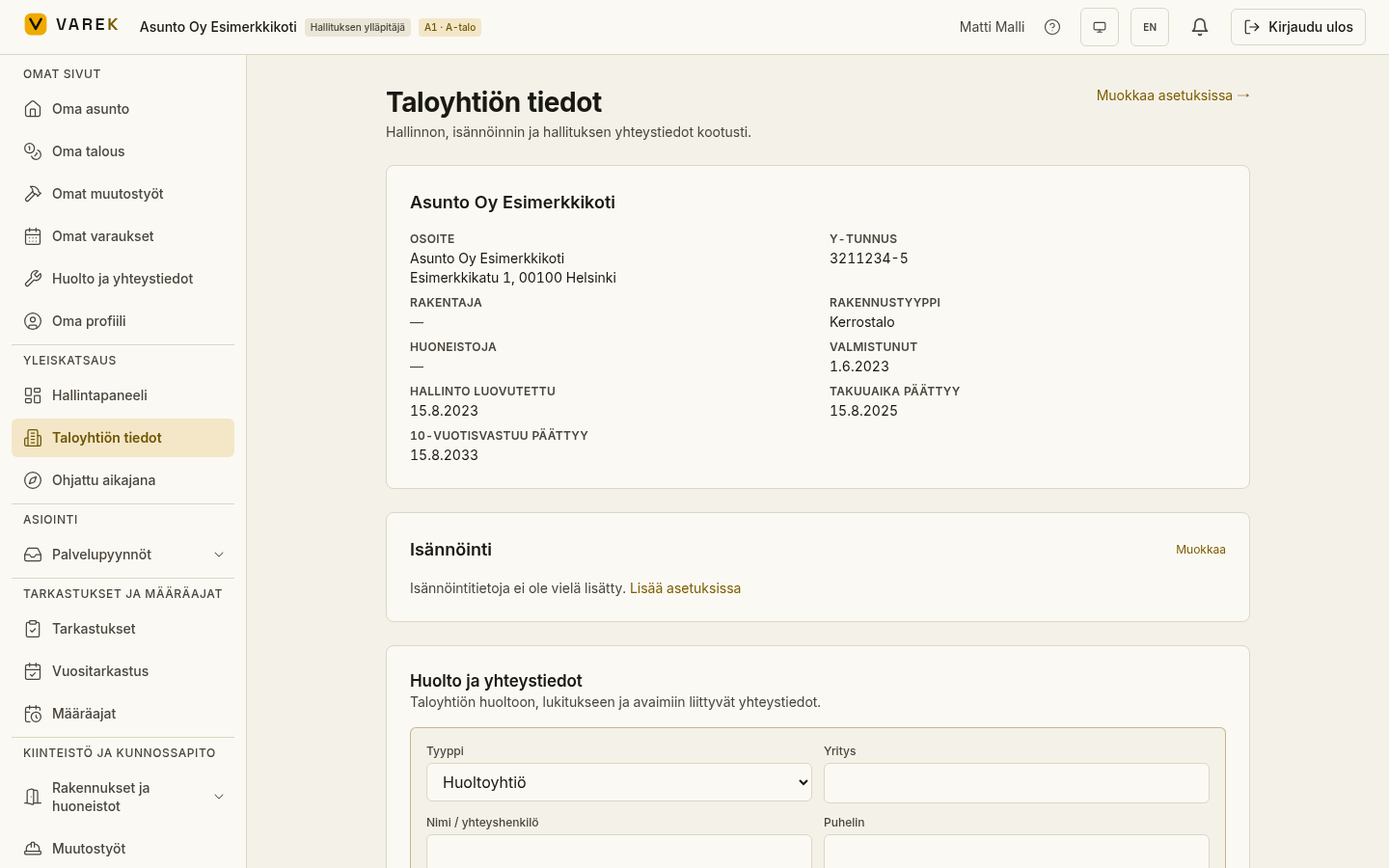
Contacts are managed on the Association details page (/taloyhtio). Only the
board admin (chair) can add, edit and delete contacts.
:::
- Open Association details (
/taloyhtio) and find the Maintenance & contacts section. - Choose “Add contact”.
- Choose the Type and fill in the fields you want: name or contact person, company, phone, after-hours number, email, website and instructions.
- Save.