Finances overview
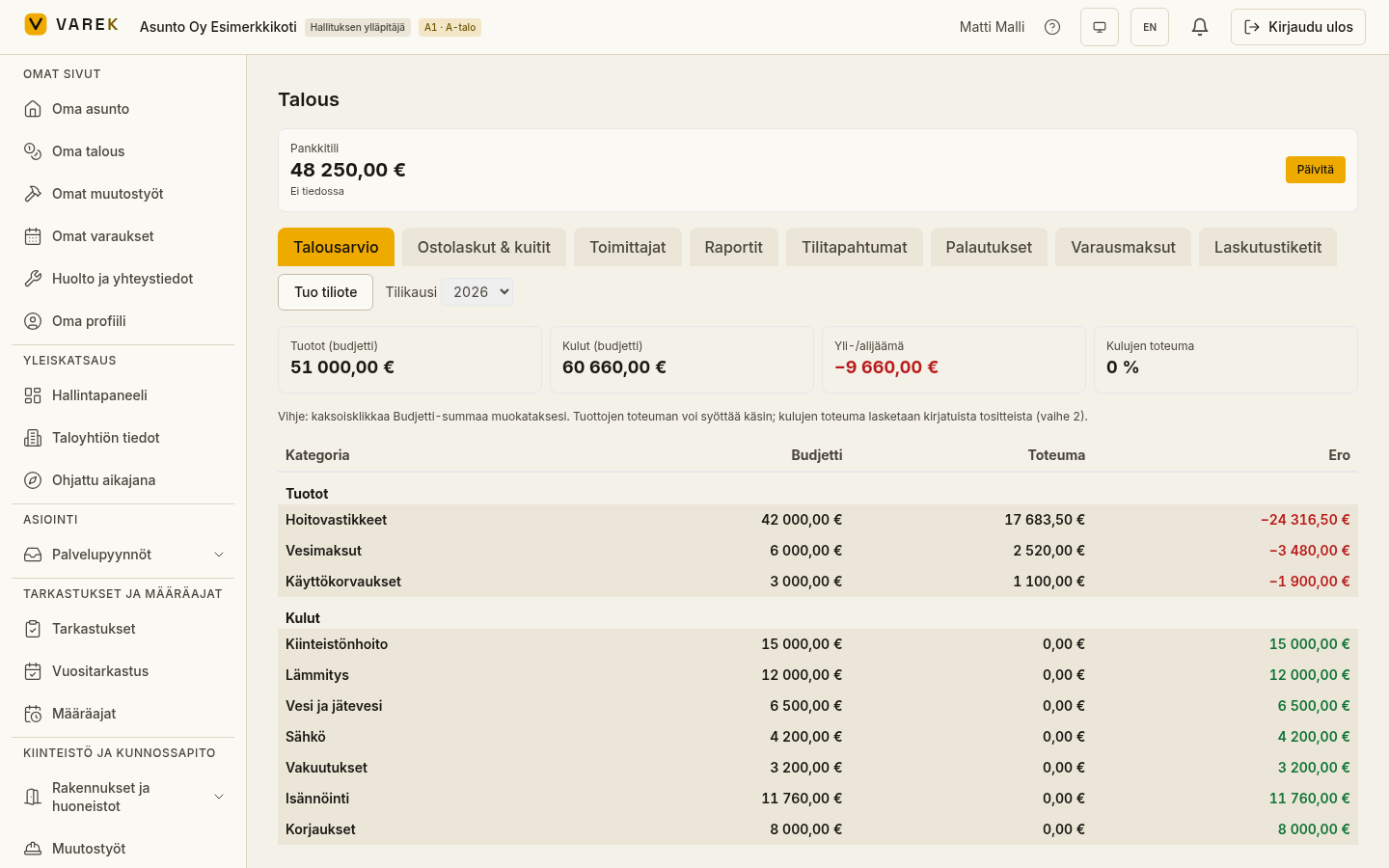
The Finances section brings together the housing company’s money: the budget and its actuals, purchase invoices, residents’ vastike (charge) and water invoices, bank-statement import and payment matching, and the reports your accountant and financial statements need.
Where to find things
Section titled “Where to find things”Finances is split into two views:
- Talous (Finances, in the left-hand menu) — the tabs Talousarvio (Budget), Ostolaskut & kuitit (Purchase invoices & receipts), Toimittajat (Suppliers), Raportit (Reports), Tilitapahtumat (Bank transactions), Palautukset (Refunds), Yhtiölaina (Company loan), Varausmaksut (Booking payments) and Laskutustiketit (Billing tickets). The top of the page shows the bank-account balance and a fiscal-year selector.
- Asukaslaskut (Resident invoices) — the vastike, water and other invoices sent to residents, their status and payments, plus the management of vastike rates and vastike runs.
Key features
Section titled “Key features”- Talousarvio (Budget) — the budget and its actuals by category, one fiscal year at a time.
- Resident invoices and vastike runs — vastike rates, mass creation of vastike and water invoices, and individual invoices.
- Bank-statement import and ledger — importing a bank statement (camt.053, OP and Nordea CSV, Nordea TITO and HTML) and automatic payment matching by reference number.
- EV charging billing — charging-point kWh readings entered manually or from an operator CSV, billed to shareholders as a usage charge. See EV charging billing.
- Reports — VAT calculation, financial-statement material and an arrears list.
- Purchase invoices and recurring costs — the company’s own expenses and templates for recurring costs.
- Insurance bidding — assemble a request for quotes, send it to insurers and compare the offers that come back.
- Varausmaksut (Booking payments) — the board/accountant view of accrued booking revenue, per-booking commission, payout history with IBAN, and CSV export. Requires paid bookings to be configured.
- Laskutustiketit (Billing tickets) — the board and accountant inbox for residents’ billing questions. Each ticket shows the asker’s name, apartment and invoice reference; a resident can mark a question “vain kirjanpitäjälle” (accountant-only, hidden from the board). Replies can be sent directly in-app.
Getting started
Section titled “Getting started”- Open Talous (Finances) from the left-hand menu.
- Check the fiscal-year selector in the top-right corner — it drives the budget, purchase invoices and reports to the correct year.
- If the bank-account balance is missing, the board’s main administrator can set it with the Aseta (Set) button on the balance card at the top.
See also
Section titled “See also”- Vastike charges and billing runs
- Resident invoices
- Bank-statement import and ledger
- Reports
- Bookkeeping (general ledger and period locking)
- Financial statements and year-end review
- Workbench (multi-company bookkeepers)
- Budget
- Purchase invoices and recurring costs
- Anomalous invoice alerts
- Company loan and financing charge
- Insurance bidding
- Service tendering (kilpailutus)