Budget
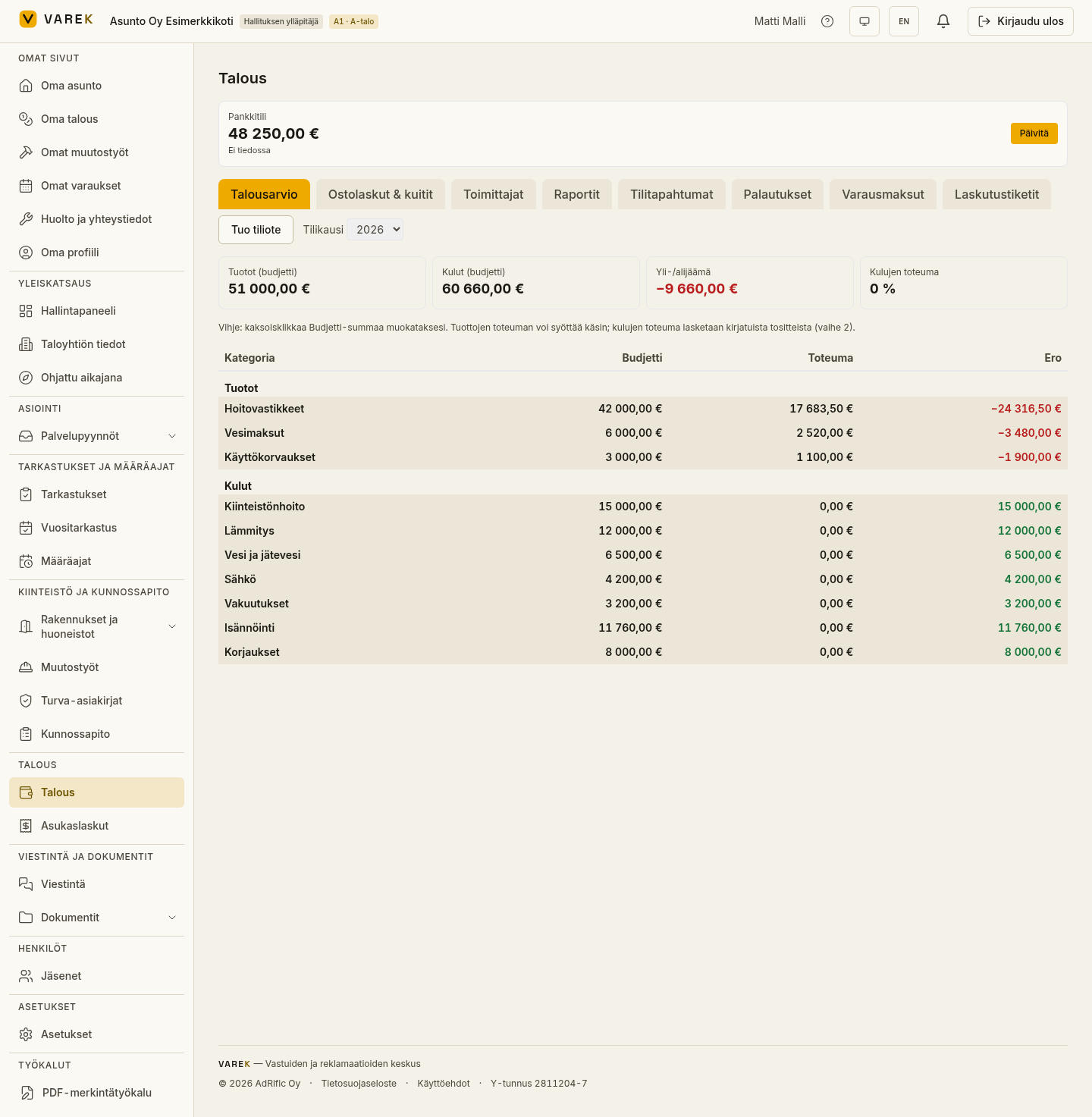
On the Talousarvio (Budget) tab you draw up the housing company’s budget for the fiscal year and track actuals by category. Income and expenses appear in a tree structure where each row has a budget, an actual figure and the difference.
Creating the budget framework
Section titled “Creating the budget framework”If no budget has been created yet, the message “Talousarviota ei ole vielä luotu.” (No budget has been created yet) appears, and the board’s main administrator can create a ready-made budget framework with a single button.
- Open Talous → Talousarvio (Finances → Budget).
- Press Luo talousarvion runko (vakiokaava) (Create budget framework, standard template).
Entering budget figures
Section titled “Entering budget figures”- Check the fiscal year in the top-right corner.
- Double-click the Budjetti (Budget) cell of a row (or click the amount) and type the amount.
- Confirm with Enter or by moving out of the field. Esc cancels.
For income rows you can also enter a manually recorded actual. Expense actuals accumulate automatically from paid purchase invoices and resident payments.
Metrics and the difference
Section titled “Metrics and the difference”The cards at the top show budgeted income and expenses, the surplus/deficit and the share of expense actuals. In the Ero (Difference) column a favourable variance is shown in green and an unfavourable one in red (for both income and expenses).
Result
Section titled “Result”You get a real-time picture of the fiscal year’s finances: where you stand against the budget and where costs have accumulated.