Maintenance log and seasonal tasks
The Maintenance log (huoltokirja) page tracks your housing company’s recurring upkeep — for example gutter cleaning, ventilation filter changes and the start of the heating season. Once a task is defined, VAREK generates the upcoming maintenance tasks automatically in the right months, notifies the board of new tasks, and keeps every sign-off in a permanent maintenance log.
The page is in the menu under Property → Maintenance log. All members of the housing company can see the tasks, the year wheel and the log; board members sign tasks off; the administrator (board admin) manages the task definitions.
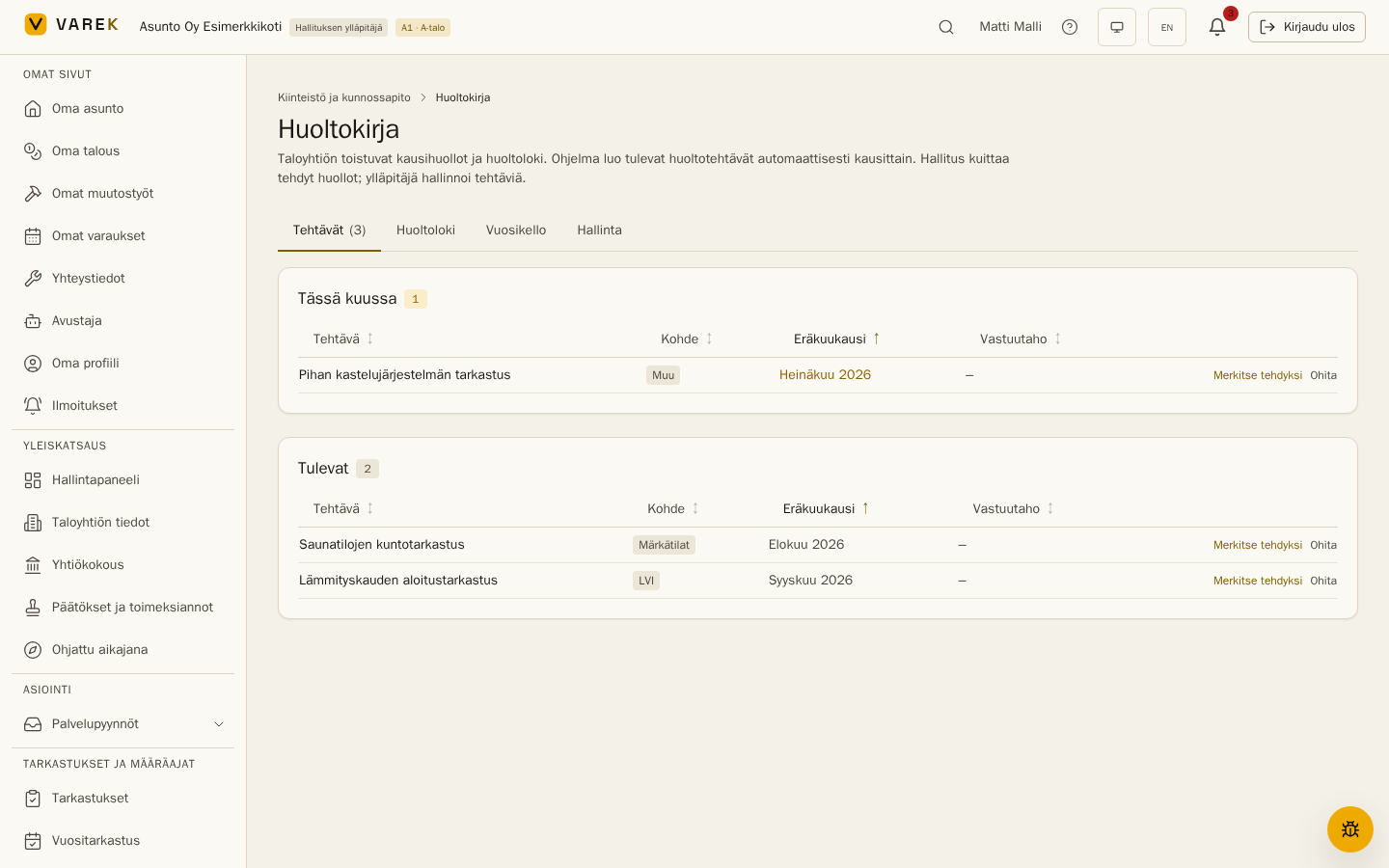
The Tasks tab shows open maintenance tasks in three groups:
- Overdue — the due month has passed without a sign-off.
- This month — the current month’s tasks.
- Upcoming — tasks for roughly the next two months.
A board member signs a task off with Mark done, or dismisses it with Skip (for example when the work was not needed this year). A sign-off can include free-form notes — who did the work and what was observed. A mistaken sign-off can be undone in the log with Reopen.
Send to the service company
Section titled “Send to the service company”When a task has a responsible party (in service contacts), the task row shows the board a Send to service company button. Sending requires the responsible party to have an email address — otherwise the app reports it when you try to send. The message carries the task’s name, due month and any instructions, together with a personal link that lets the service company mark the task done without signing in — optionally with notes. The completion appears in the maintenance log with a Confirmed by service company badge, and the sender is notified.
The service company can also reply directly to the email: the reply is stored in the housing company’s service requests as its own Seasonal maintenance thread, and the sender is notified of the reply.
A dispatched task shows a Sent marker on its row. The same task can be sent again (for example as a reminder) with Send again — the previously sent confirmation link then stops working and the new email carries a fresh link.
Maintenance log
Section titled “Maintenance log”The Log is a permanent, chronological record of completed and skipped maintenance: the task, its status, the completion date, who signed it off and the notes. The log survives even if the task definition is later deleted — it is the housing company’s maintenance history.
You can also record work that was not generated by the system: the Log a maintenance action button opens a form for the name, component, date and notes. A manually logged entry can be deleted if needed.
Year wheel
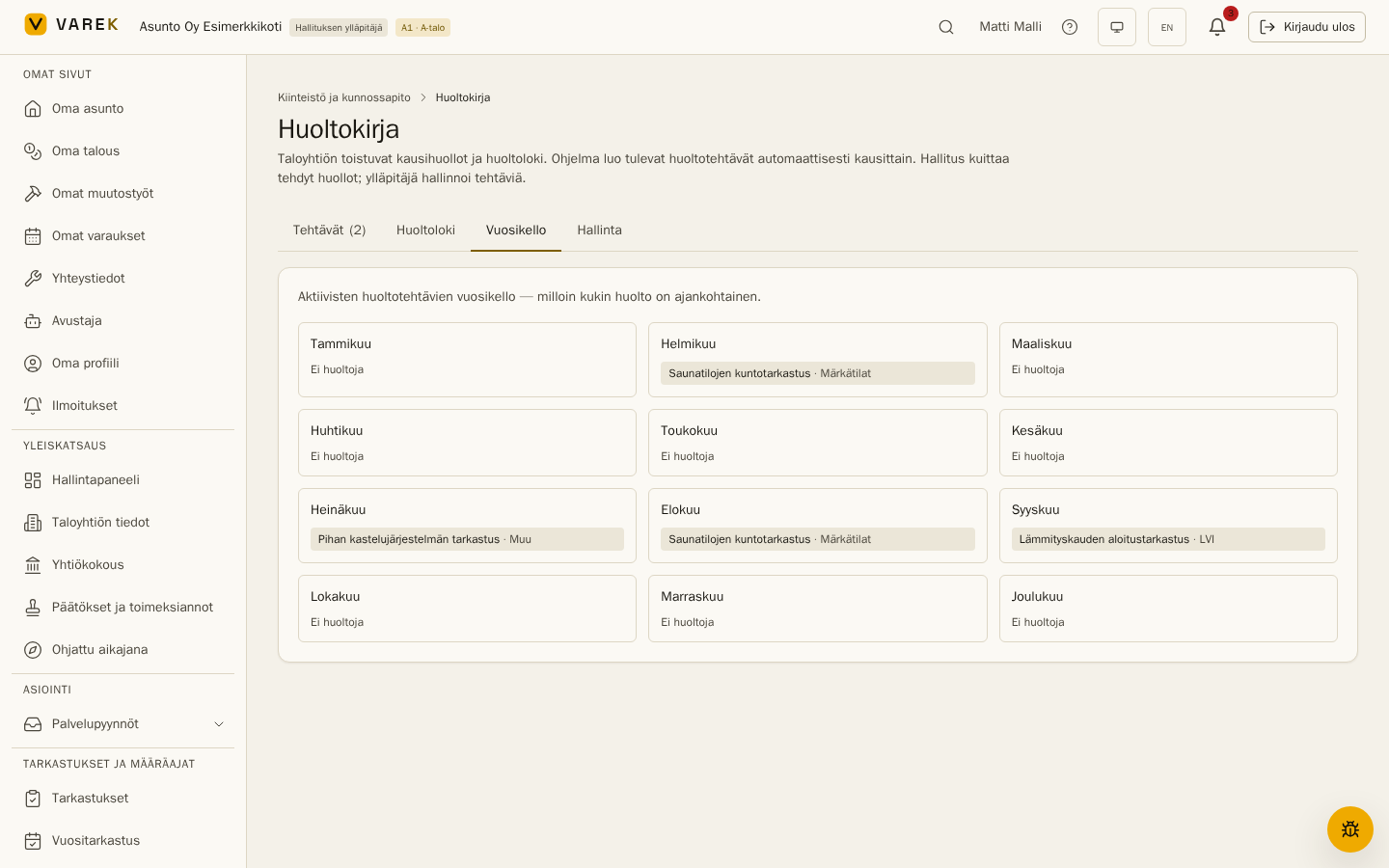
Section titled “Year wheel”The Year wheel tab shows every active task on a 12-month grid — one glance tells you what each month brings. Tasks that repeat less often (for example ventilation duct cleaning every five years) carry an “Every Nth year” marker.
Manage (administrator)
Section titled “Manage (administrator)”On the Manage tab the administrator defines the housing company’s maintenance tasks. There are two ways to add them:
- Add from library — VAREK’s built-in library holds around 15 Finnish housing-company seasonal-maintenance classics (storm drains and gutters, roof drains, ventilation filters, heating-season start, snow guards, the civil defence shelter annual round…) with ready-made instructions and recommended months. Tasks are added with one tap, and already-added ones are marked. The library content is a set of recommendations — edit them to fit your building.
- Add your own task — a free-form task with its own name, instructions, component, due months and repeat interval (yearly or every 2nd–10th year). A task can be assigned to one of the housing company’s service contacts — for example the maintenance company.
When a task is added or its schedule changes, the near-term occurrences are created immediately — further ahead, the system generates tasks automatically every day on a rolling two-month horizon, and board admins are notified of new tasks.
A task can be switched off (the definition stays, no new occurrences are generated) or deleted entirely — deleting removes the open upcoming tasks, but completed and skipped entries remain in the log.
Dashboard widget
Section titled “Dashboard widget”You can add a Seasonal maintenance widget to the dashboard (Edit dashboard → Add widget). It shows the tasks due this month, with overdue work highlighted in red.
Frequently asked
Section titled “Frequently asked”How does the maintenance log differ from the maintenance needs assessment (KPTS)? The KPTS is the statutory assessment of coming years’ maintenance needs presented to the general meeting (Housing Companies Act 6:3). The maintenance log is the operational tool for scheduling and signing off recurring upkeep. They complement each other: log observations make good source material for the KPTS.
Who can see the maintenance log? All members of the housing company — including shareholders — can see the tasks, year wheel and log. Only the board can sign tasks off, and only the administrator can manage the definitions.
What about smoke alarms? The statutory smoke-alarm reminders are handled by their own feature — see Smoke alarms.