Bookings — overview
In the Bookings section, the housing company’s residents book shared facilities — the sauna, laundry room, clubroom, gym, parking space or other bookable spaces. The board decides which facilities are bookable, when, and under what rules; shareholders and other members make bookings from the weekly calendar.
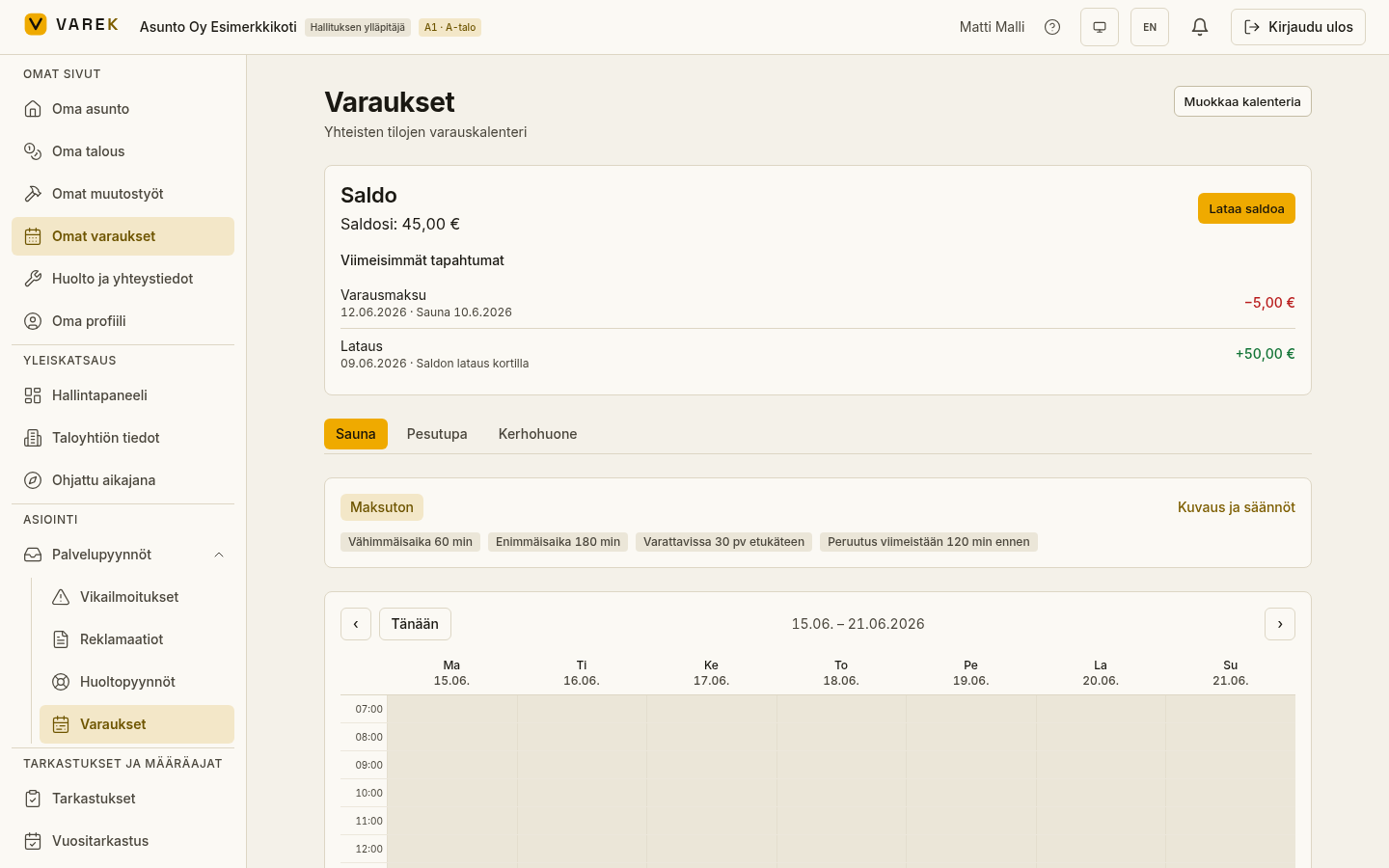
What’s in this section
Section titled “What’s in this section”- Facility tabs — each bookable facility is its own tab at the top of the page. Pick a facility to open its weekly calendar and rules below.
- Weekly calendar — shows the status of each hour: green is free and bookable, grey is closed (outside the booking window), and a highlighted cell is already booked.
- Facility rules — minimum and maximum duration, how far in advance the facility can be booked, the cancellation deadline and any price are shown in the facility’s details.
- My reservations — a list of your own upcoming bookings, from which you can cancel a booking before the cancellation deadline passes.
- Wallet — if a facility is paid, the booking is charged to your personal wallet balance. The card shows your balance and your most recent transactions.
- Electricity estimate — for a sauna (or any other facility with a heater), VAREK estimates the electricity consumption and cost using the spot price.
Getting started
Section titled “Getting started”- Open Bookings from the left-hand menu (or My reservations in the My pages group).
- Choose the facility you want from the tabs at the top of the page.
- Click a free (green) time in the calendar to start a booking.