Vastike charges and billing runs
A vastike run creates the charge (vastike) invoices for every apartment at once. The run is based on vastike rates (€/m², €/share, €/apartment, €/resident or €/parking space), any per-apartment overrides, and each apartment’s own data (area, shares, resident count, parking spaces).
1. Check the bank details
Section titled “1. Check the bank details”Before your first run, make sure the account number shown on invoices is correct.
- Open Asukaslaskut (Resident invoices) from the left-hand menu.
- Check the Laskutustiedot (näkyvät asukkaille) (Invoice details, shown to residents) card at the top. The card is shown only to the main administrator (not the accountant).
- Press Muokkaa (Edit) and fill in the payee name, IBAN and, if needed, BIC. Save.
2. Set the vastike rates
Section titled “2. Set the vastike rates”Vastike rates are in the Vastikeperusteet (Vastike rates) card lower on the page.
- Press Lisää peruste (Add rate).
- Choose the type (e.g. maintenance charge, financing charge, parking, land-lease charge / tontinvuokravastike). For a land-lease charge a per-apartment exemption (vapautus) can be granted in the Apartments card if the shareholder holds their own land share.
- Choose the basis (€/m², €/share, €/apartment or €/resident). Parking always uses the €/space/month basis.
- Enter the rate, a valid-from date and, if needed, a valid-to date.
- Save.
You can give a single apartment a fixed amount in the Huoneistokohtaiset poikkeukset (Per-apartment overrides) card. An override replaces the calculated amount for that vastike type.
3. Fill in the apartment data
Section titled “3. Fill in the apartment data”In the Huoneistot (Apartments) card you fill in the fields the calculation relies on: number of shares, resident count, number of parking spaces, and the Laskutustapa (billing mode). Area comes from the apartment’s basic details. Fields save automatically when you move out of the field.
Laskutustapa (billing mode) controls who receives the invoice and how:
| Mode | Description |
|---|---|
| Yksi maksaja (Single payer) | Invoice addressed to one person (default; can be redirected to someone other than the owner). |
| Yhteislasku (Combined / joint) | Co-owners receive a single invoice with a combined name. |
| Prosenttijako (Split %) | The invoice is split between owners according to defined percentages — a separate percent editor opens. |
| Yritys (Company) | Invoice addressed to a legal entity linked to the apartment. |
4. Run the vastike run
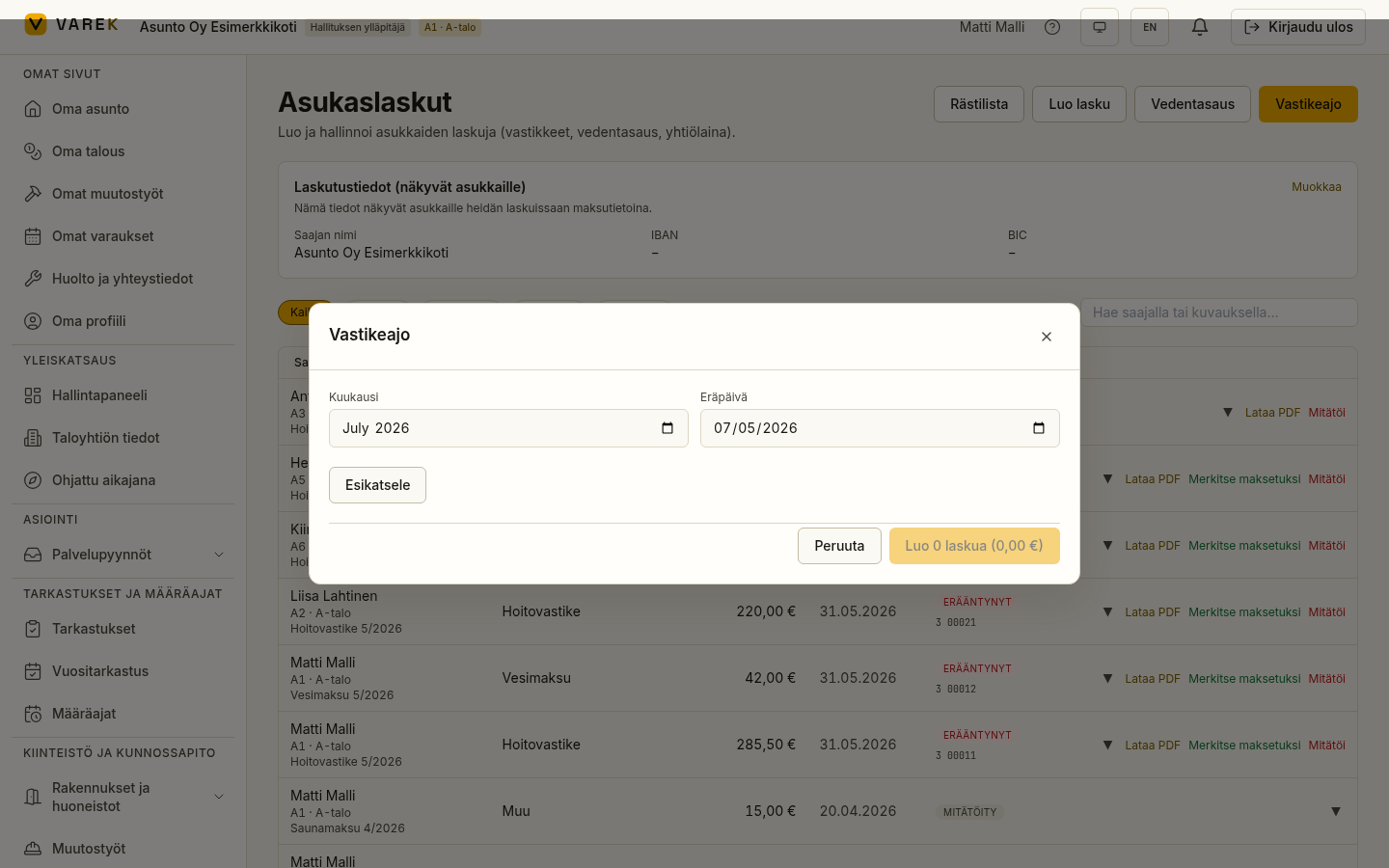
Section titled “4. Run the vastike run”- Press Vastikeajo (Vastike run) at the top of the Resident invoices page.
- Choose the period (month) and due date. The due day is remembered for the next run.
- Press Esikatsele (Preview). You get a per-apartment row view: amount, basis, recipient and status. Incomplete rows (e.g. a missing amount) are flagged with a warning and skipped in the run.
- Check the preview summary (number of invoices and total).
- Press the confirm button. VAREK creates the invoices with reference numbers and notifies the residents.
Result
Section titled “Result”The created invoices appear immediately in the Resident invoices list and on each recipient’s Oma talous (My finances) page. The same period can be re-run safely — apartments already invoiced are not invoiced twice.
Broken water meter (estimated reading)
Section titled “Broken water meter (estimated reading)”If an apartment’s water meter is broken, the reading row can be marked with the Estimate checkbox. Under chapter 3 section 4 a of the Housing Companies Act (amendment 535/2026, in force 1 Oct 2026) the charge must be based on reliably measured actual consumption — while a meter is broken, the charge for that apartment is temporarily based on reliably estimated consumption. An estimated row’s invoice automatically carries the note “(arvioitu kulutus – vesimittari vikaantunut, AOYL 3:4 a §)”, and the flag is stored permanently with the run’s line data. Note the transition rule: the section does not apply to a company whose apartment water meters were installed under a building permit applied for before 1 Oct 2026.