Documents — overview
The Documents section is your housing company’s shared archive. It holds plans and drawings, inspection reports, contracts, financial attachments, and any other association documents. Every document has a visibility level that determines who can see it, and you can browse the archive as folders, as a list, or by category.
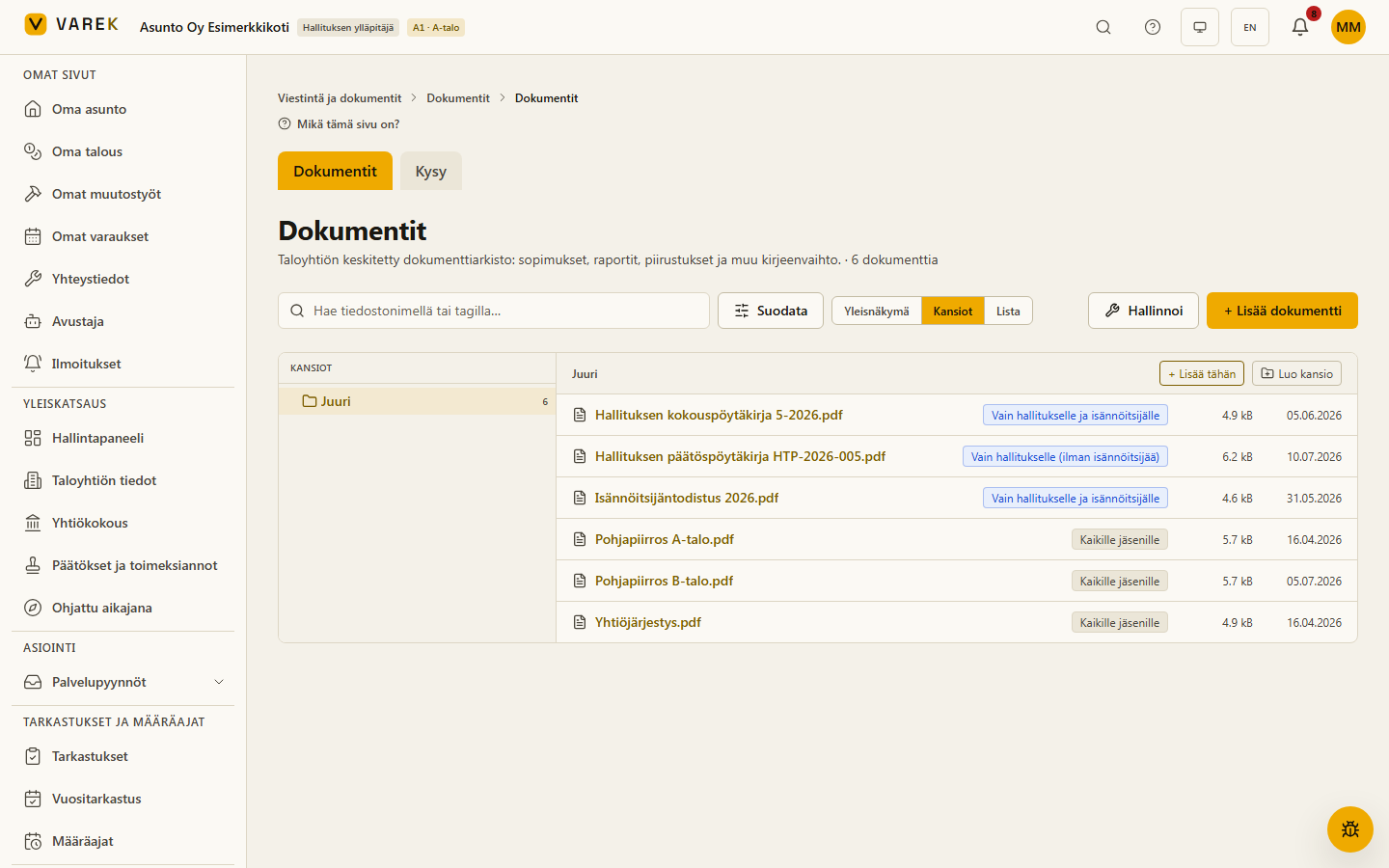
In VAREK, documents live on a single page with two tabs. The page is in the left-hand menu’s Communication & documents section, named Documents:
- the Documents tab — the archive itself: upload, organize into folders, search, and share files.
- the Kysy (Ask) tab — an AI assistant that answers your questions based on the association’s documents and attaches source references to its answers.
Who sees what
Section titled “Who sees what”The same archive shows different things to different users, based on their role and each document’s visibility level:
- The board sees and manages the whole archive. The board admin (board_admin) can additionally see documents restricted to admins only.
- A shareholder sees documents shared with all members, their own apartment’s documents, the association’s shared information, and documents restricted to shareholders only (“Vain osakkaille”). Tenant members do not see shareholders-only documents.
- The accountant (kirjanpitäjä) and consultant (asiantuntija) see documents within the limits of their permissions.
See the dedicated page Document visibility for more.
There are three views on the right of the toolbar:
- Overview — categories and tags at a glance.
- Folders — browse documents as a folder structure.
- List — a table view showing the file, visibility, category, description, size, and date added.
The search field matches by file name and tags, and the Suodata (Filter) button lets you narrow the view by category, visibility, or linkage (general / defect / claim).
See also
Section titled “See also”- Managing documents — upload, folders, renaming, and moving.
- Document visibility — who sees which document.
- Document chat — ask the AI about your association’s documents.
- Electronic signatures — request strong-authentication signatures on documents.
- Document editor — write and publish the association’s documents right inside VAREK.
- PDF annotation tool — annotate floor plans with areas, pins and tags.