Booking a facility
This guide shows you how to book a shared facility from the weekly calendar and how to cancel a booking. Any member of the housing company with access to the Bookings section can make a booking.
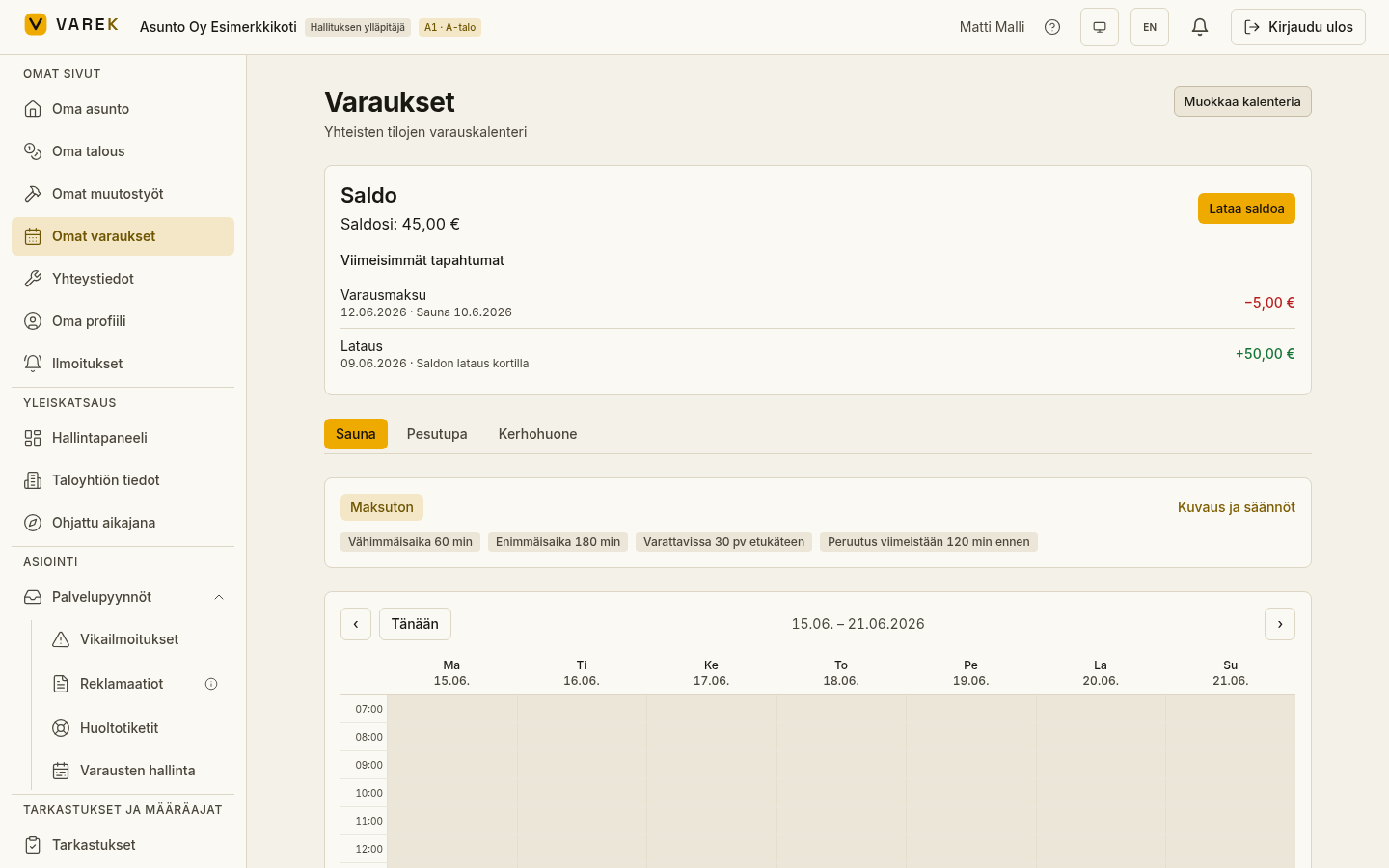
How to book a facility
Section titled “How to book a facility”- Open Bookings and choose a facility from the tabs at the top of the page.
- Check the facility details: the price or Maksuton (Free), the minimum and maximum duration, how many days in advance you can book, and the cancellation deadline.
- Use the ‹ and › arrows in the calendar to move to the week you want, or jump back to the current week with the Tänään (Today) button.
- Click a free (green) time cell. The booking dialog opens at the start time you picked.
- Adjust the Alkaa (Start) and Päättyy (End) fields to the time you want. The dialog shows the duration, the price and — for a sauna — the estimated electricity cost.
- Select Vahvista varaus (Confirm booking).
Result: the booking is saved and appears immediately in the calendar as booked and in the My reservations list.
If a booking can’t be made
Section titled “If a booking can’t be made”VAREK checks the booking rules and clearly explains why a time can’t be booked. The most common reasons:
- The time is in the past — pick a future time.
- The booking is too short / too long — stay within the facility’s minimum and maximum duration.
- The time is outside the booking window — the facility can only be booked during the hours the board has set.
- The booking is too far ahead — the facility can only be booked a set number of days in advance (the Varattavissa etukäteen / Bookable days in advance rule). Pick an earlier time.
- The facility is closed at this time — a blackout period has been set.
- The time is already booked or too close to another booking — pick another time.
- You already have too many bookings or the weekly booking limit is full — the facility may have a per-user booking limit.
- Your balance is not enough for this booking — a paid facility requires enough wallet balance. See Wallet and paying.
How to cancel a booking
Section titled “How to cancel a booking”- Find the booking in the My reservations list at the bottom of the page.
- Select Peruuta varaus (Cancel booking) and confirm.
Result: the booking is cancelled and the time is freed for others. Any charge that was taken is refunded to your wallet balance.