Settings and subscription
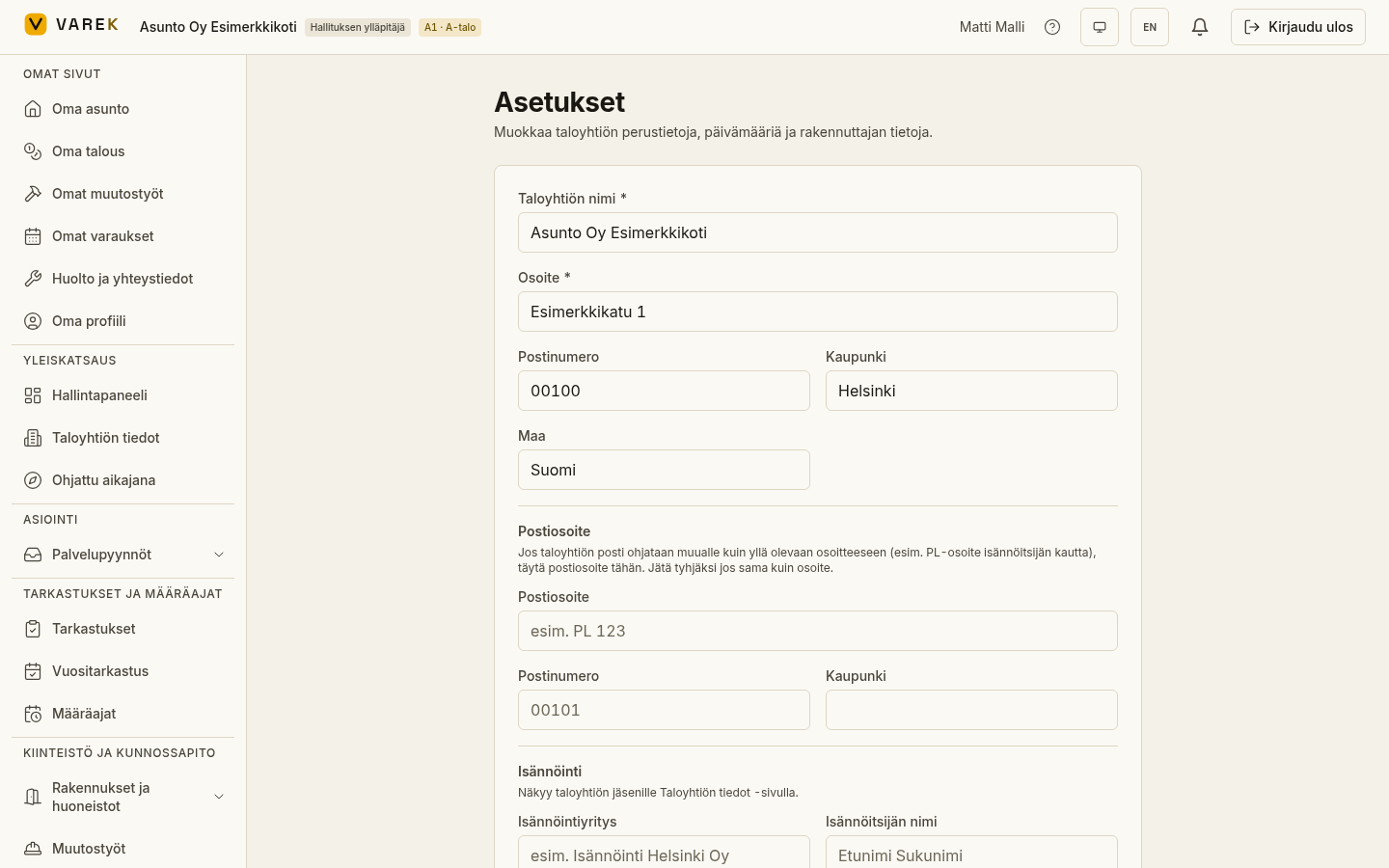
In settings you manage your housing company’s basic details, users and permissions, your own personal settings, and the company’s VAREK subscription. The view adapts to your role: the board sees every setting, while shareholders and accountants see their own.
What you can do in settings
Section titled “What you can do in settings”- Housing company details — name, address, property manager, builder, completion and handover dates (from which the warranty and liability periods are calculated), business ID and VAT registration. Only a board admin can edit; others see the details read-only.
- Users and roles — members’ roles and board positions, invitations for new members, handling join requests, and managing apartment ownerships. Board only.
- Your profile — name, phone, postal address, bank account number for refunds, email settings, password change, and language and theme. Every user manages their own.
- Subscription and billing — the housing company’s VAREK plan type, price, invoices and payment details. Organisation main admin only.
- Smoke alarms — record and track smoke-alarm installation details and inspection dates per apartment. See also Smoke alarms.
- Export data — a board admin can download an archive package (ZIP file) of all the housing company’s data: CSV files grouped by topic plus download links for documents and photos. The download link is sent by email. See Export data. Board admin only.
Roles at a glance
Section titled “Roles at a glance”| Role | What it reaches in settings |
|---|---|
| Board admin | All settings, user management, editing company details |
| Board member | Settings mostly read-only, user list |
| Shareholder | Own profile and password |
| Accountant | Own profile and password |
| Consultant | Own profile and individually granted permissions |