Bookkeeping (general ledger and period locking)
VAREK keeps the housing company’s double-entry books automatically: every purchase invoice, receipt, resident invoice, payment and refund is posted to the ledger in real time with no separate data entry. The Bookkeeping tab lives on the Finance page.
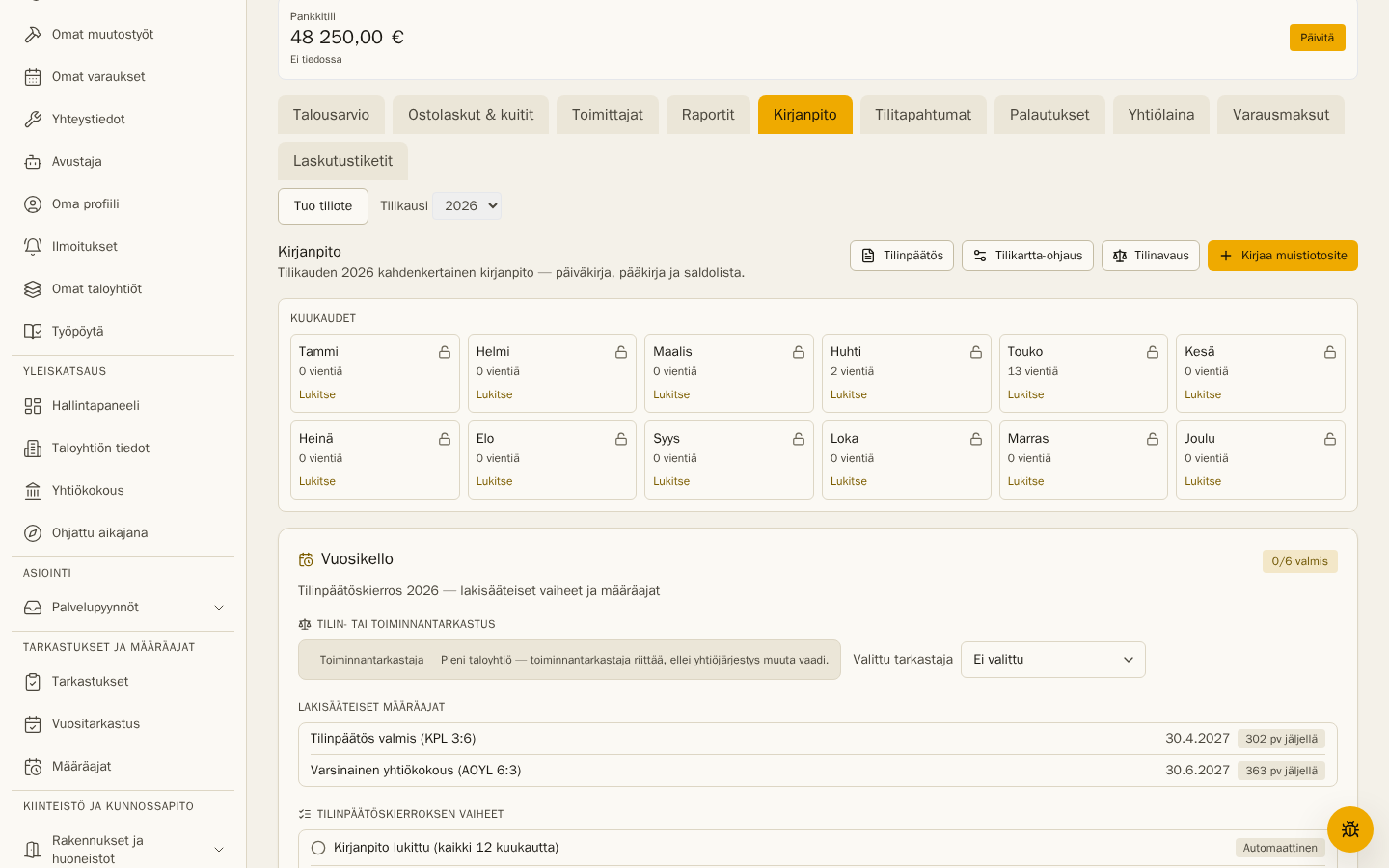
Chart of accounts
Section titled “Chart of accounts”On first visit the tab asks you to initialise the chart of accounts. VAREK creates the standard Finnish housing-company chart (revenue and maintenance-cost accounts following the statutory kiinteistökaava income-statement form, plus balance-sheet accounts). Account names can be edited later — automatic postings don’t break.
How postings are created
Section titled “How postings are created”- Purchase invoices and receipts post to expense accounts on their accounting date and to trade payables; payment posts bank against payables. The expense category picks the account (e.g. Heating → the Heating account).
- Resident invoices (maintenance charge, water and loan-share bills) post on an accrual basis: issuing posts the receivable and the revenue to the billing period; a payment posts bank against the receivable. Credit notes and refunds post reversed.
- Manual journal entries (depreciation, accruals, corrections) and the opening balance are entered by hand: Add journal entry opens a form with account and debit/credit rows; it saves only when balanced.
Reports
Section titled “Reports”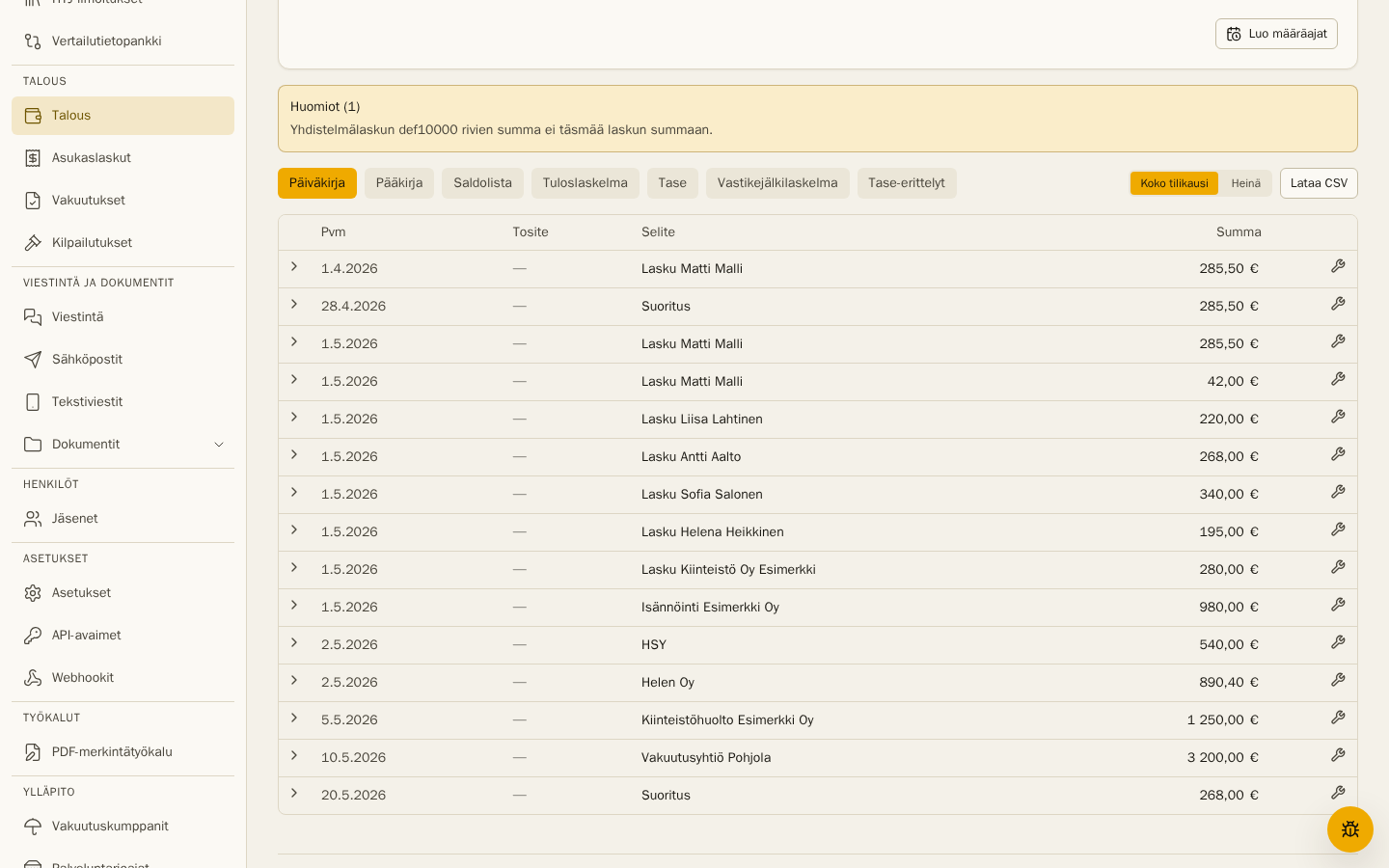
- Journal (päiväkirja) — every entry in date order with voucher numbers.
- General ledger (pääkirja) — per-account activity with opening and closing balances.
- Trial balance (saldolista) — account balances and debit/credit totals; any imbalance is flagged (it cannot normally occur).
- Income statement (tuloslaskelma) — the statutory kiinteistökaava form with HOITOKATE and result rows (PDF + CSV).
- Balance sheet (tase) — assets vs liabilities & equity as of the end of the selected range; the period result is included automatically (PDF + CSV).
Opening balances are entered with the guided Opening balances tool, which checks that assets and liabilities & equity match. The memo-voucher form has ready templates for depreciation, the residential building reserve and accruals.
Year rollover
Section titled “Year rollover”When the books continue from the previous year, the new fiscal year’s opening doesn’t need manual entry: the Accounting tab offers a Create opening action that transfers the prior year’s result to the Retained earnings account (2100) with a single AV voucher. Balance-sheet continuity is preserved and the “Opening balance missing” flag clears. In addition, each January VAREK automatically creates the statutory year-end deadlines for the closed fiscal year — financial statements (KPL 3:6, 30 Apr) and the annual general meeting (AOYL 6:3, 30 Jun) with reminders; the same ones the Year clock panel’s Create deadlines button creates manually.
Every view can be scoped to a month or the whole fiscal year and exported as CSV.
Locking a month
Section titled “Locking a month”When a month is complete, lock it. Locking freezes the month’s entries with final voucher numbers (bank, sales, purchases and memo series) — after that the month’s books never change even if operational rows are edited. If a transaction later lands in a locked month, VAREK shows a warning and it is handled with a correction entry in an open period. An administrator can unlock a month, which rebuilds its automatic entries (hand-entered memos survive).
Correcting automatic entries
Section titled “Correcting automatic entries”Every automatic voucher can be corrected with Correct entry (replace or suppress, with a reason) — removing the correction restores the automatic posting. Chart-of-accounts routing permanently routes a category or invoice type to the account you choose, and bookkeeping notices offer their fix as a button. Every change is reversible.
Financial statements and Workbench
Section titled “Financial statements and Workbench”- Financial statements and year-end review — the readiness check, annual report and the full statements package in one tool, plus the statutory close steps and deadlines.
- Workbench — the multi-company bookkeeper queue.