Workbench (multi-company bookkeepers)
If you keep the books for several housing companies — from a property
management firm or as an independent bookkeeper — the Workbench shows
all of them as one queue. The page lives in the My pages group of the
menu (/tyopoyta) once you have management rights in at least two
companies.
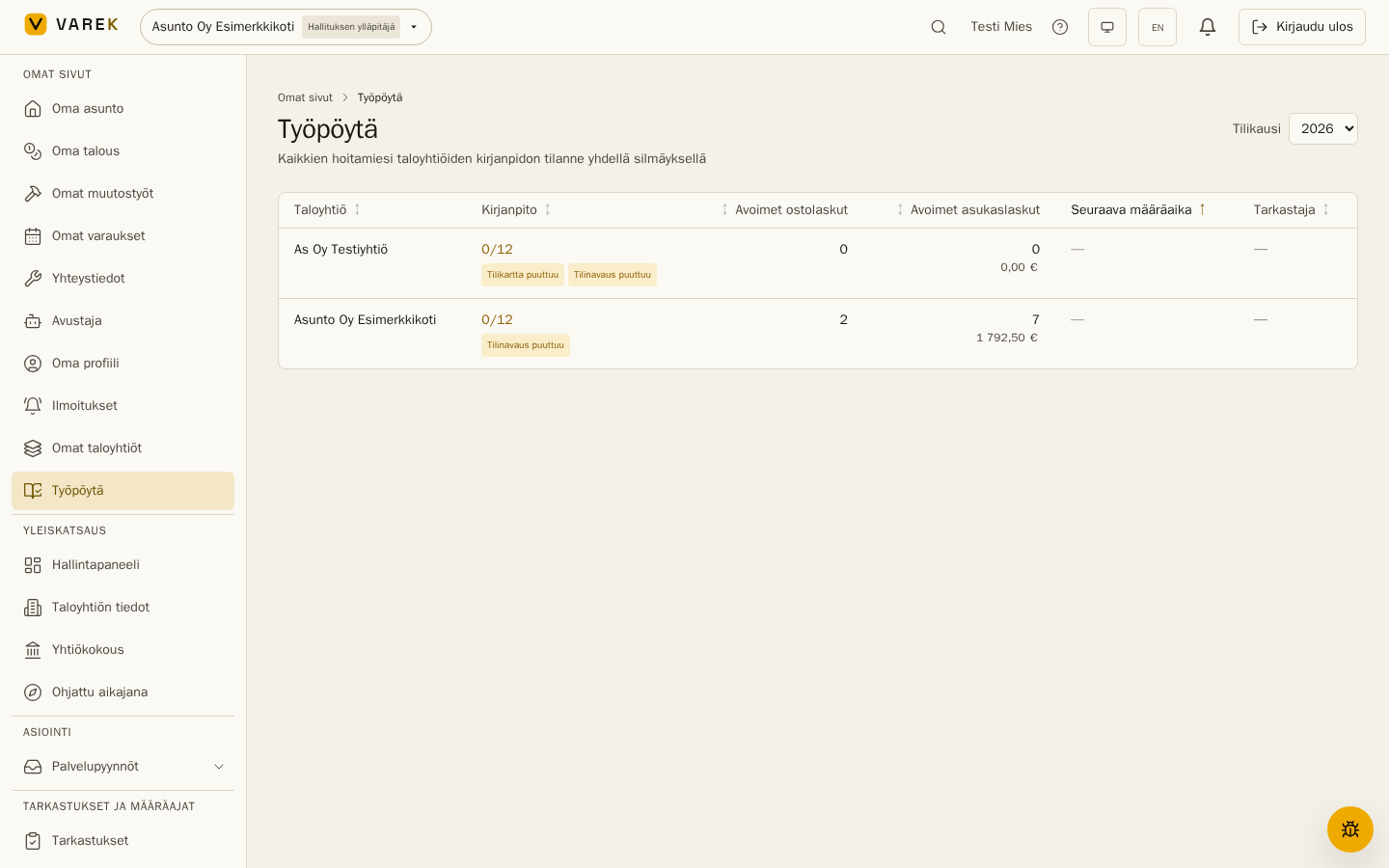
What the queue shows
Section titled “What the queue shows”One row per housing company:
- Bookkeeping — the number of locked months (e.g. 5/12). The row is highlighted when the books are behind schedule, and a missing chart of accounts or opening balance is flagged.
- Open purchase invoices and open resident invoices (count and €).
- Next deadline — the nearest active deadline; deadlines under 14 days show in red. The queue sorts by urgency by default.
- Reviewer — the auditor or activity inspector chosen in the year-end review.
Selecting a row switches to that company and takes you straight to its Finance page.
Who sees the Workbench
Section titled “Who sees the Workbench”The Workbench lists companies where you are the bookkeeper or a board admin (or the property-management firm’s main user). Access to each company is granted normally: the board invites the bookkeeper as a member, or the management firm adds them to its companies — the Workbench doesn’t widen permissions, it just collects them into one view.