Builder workspace
The builder workspace (rakentajan työtila) is a construction company’s own logged-in view: the company sees, in one place, every reklamaatio formally served on it across all the housing companies it built, and can respond directly in the app. Responses land on the same immutable evidence rail as those given through the per-claim response link — the housing company’s paper trail doesn’t weaken, it strengthens, because responding on time gets easier for the builder.
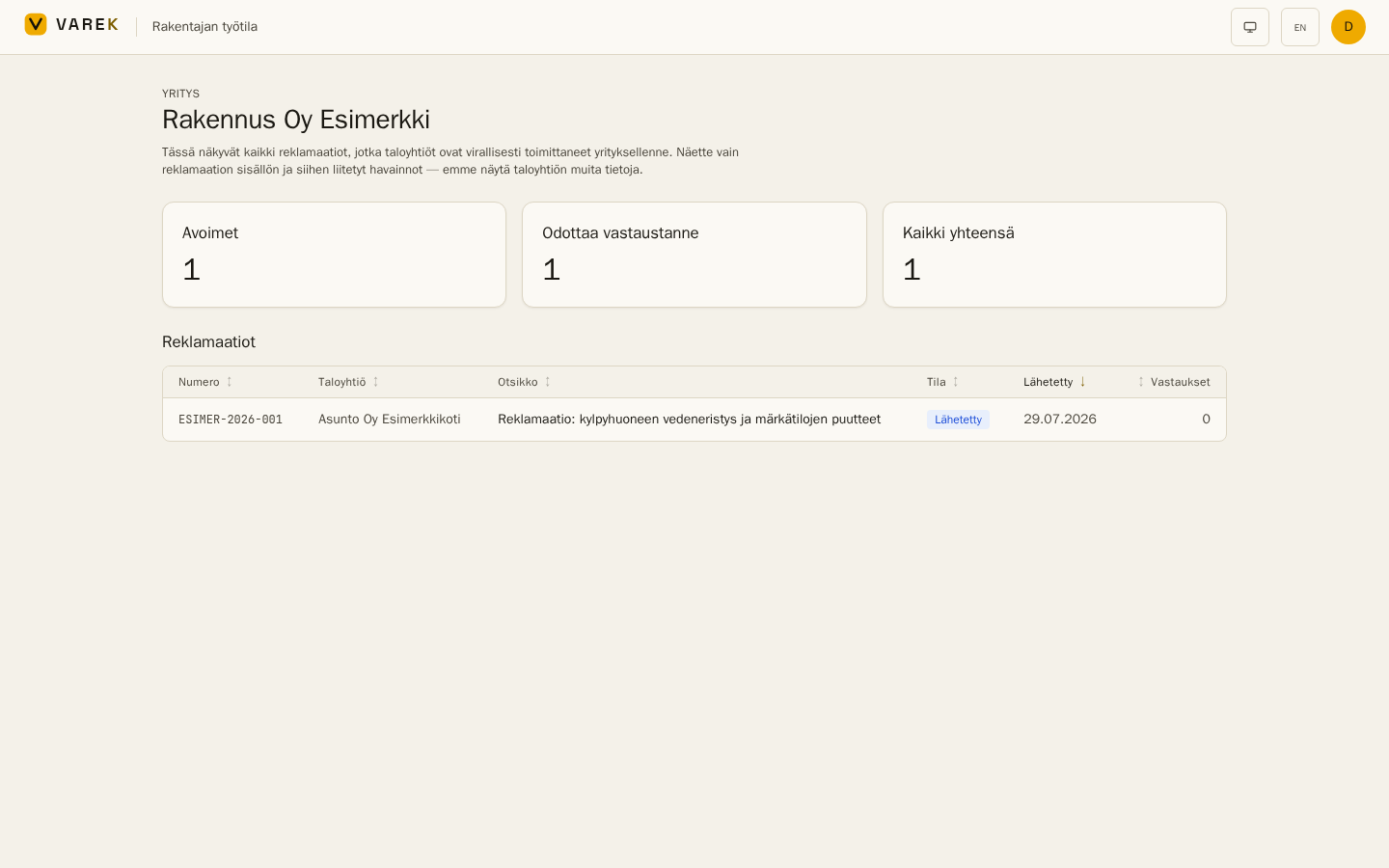
What the builder sees — and what it never sees
Section titled “What the builder sees — and what it never sees”The workspace shows exactly the same content as the response link sent with the claim: the claim number, title, description, legal basis, status and sent date, the linked defects’ basic details (title, description, location, category, severity), and the builder’s own earlier responses.
The builder never sees: the housing company’s internal defect register, photos, reporter names, repair-cost estimates, response-deadline tracking, KRIL or court case numbers, or any other internal material. Only claims the board has already served on the builder are visible — the workspace discloses nothing new.
The housing company’s side
Section titled “The housing company’s side”- The business ID decides. The workspace matches claims through the builder’s business ID (Y-tunnus) in the association settings (Settings → Builder). When a workspace is registered for that business ID, the settings show by name which company sees the claims — check that it is the right one.
- Hiding. The Hide from the builder workspace checkbox in the same section lets the housing company keep its claims out of the workspace. Claims already sent by email are unaffected.
- Responses arrive in the same place. When the builder responds in the workspace, the response appears on the claim page (per-defect accept/dispute stances and comments), the claim status updates, and the board is notified — exactly as with the response link.
The builder’s side
Section titled “The builder’s side”Access starts with an invitation: VAREK creates the workspace for the construction company (name + business ID) and invites the first user by email. The invited administrator can then invite colleagues. Sign-in happens at app.varek.fi, and the workspace lives at /rakentaja — the list shows every claim served on the company, newest first, and opening a claim allows a per-defect response (accept / dispute / partial / unclear + comment) plus an overall message.
To get a workspace, contact VAREK — workspaces are created by the operator so nobody can impersonate another company.
Example
Section titled “Example”A construction company has built three housing companies, all using VAREK. After the annual inspections, claims have been served from all three. In the workspace the company’s warranty manager sees them as one list, opens the most urgent one, accepts two defects and disputes one with reasoning — every stance is stored as timestamped evidence, and each housing company’s board is notified immediately.