Purchase invoices and recurring costs
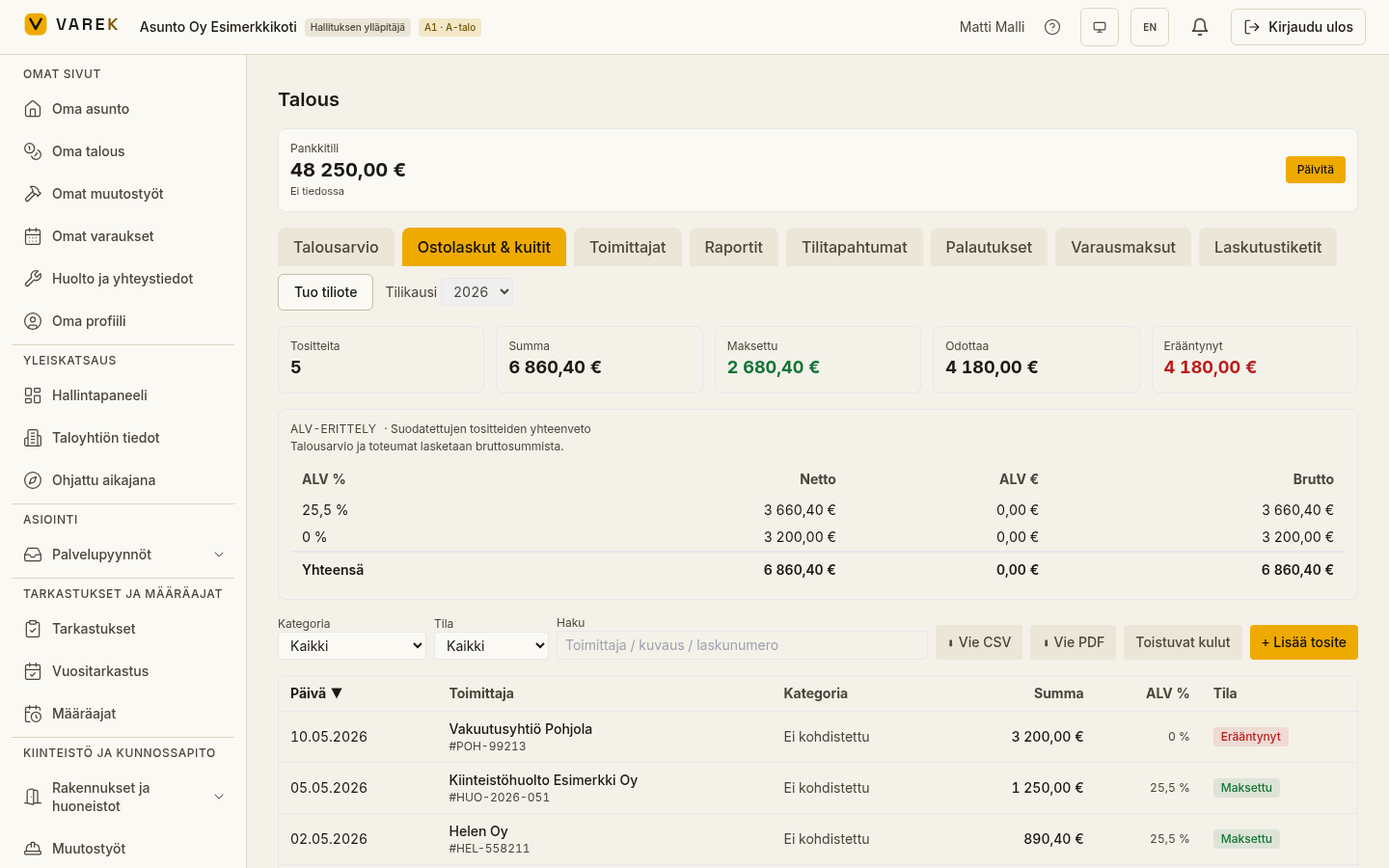
On the Purchase invoices tab you record the housing company’s own expenses (e.g. insurance, property management, loan repayments) and track them by status and category. For recurring costs you can create a template that produces the coming periods’ entries at the press of a button.
Purchase invoices
Section titled “Purchase invoices”Add a voucher
Section titled “Add a voucher”- Open Talous → Ostolaskut & kuitit (Finances → Purchase invoices & receipts).
- Press + Lisää tosite (Add voucher).
- Fill in the supplier, amount, category, dates and VAT details.
Filtering, sorting and export
Section titled “Filtering, sorting and export”Filter the list by category, status (open / paid / overdue) or search, and sort by clicking a column header. The metrics at the top show the number of entries, the total, and the paid, open and overdue amounts. Below the metrics, above the voucher table, there is a VAT breakdown by tax rate.
Export the visible list with Vie CSV (Export CSV) or Vie PDF (Export PDF).
Recurring costs
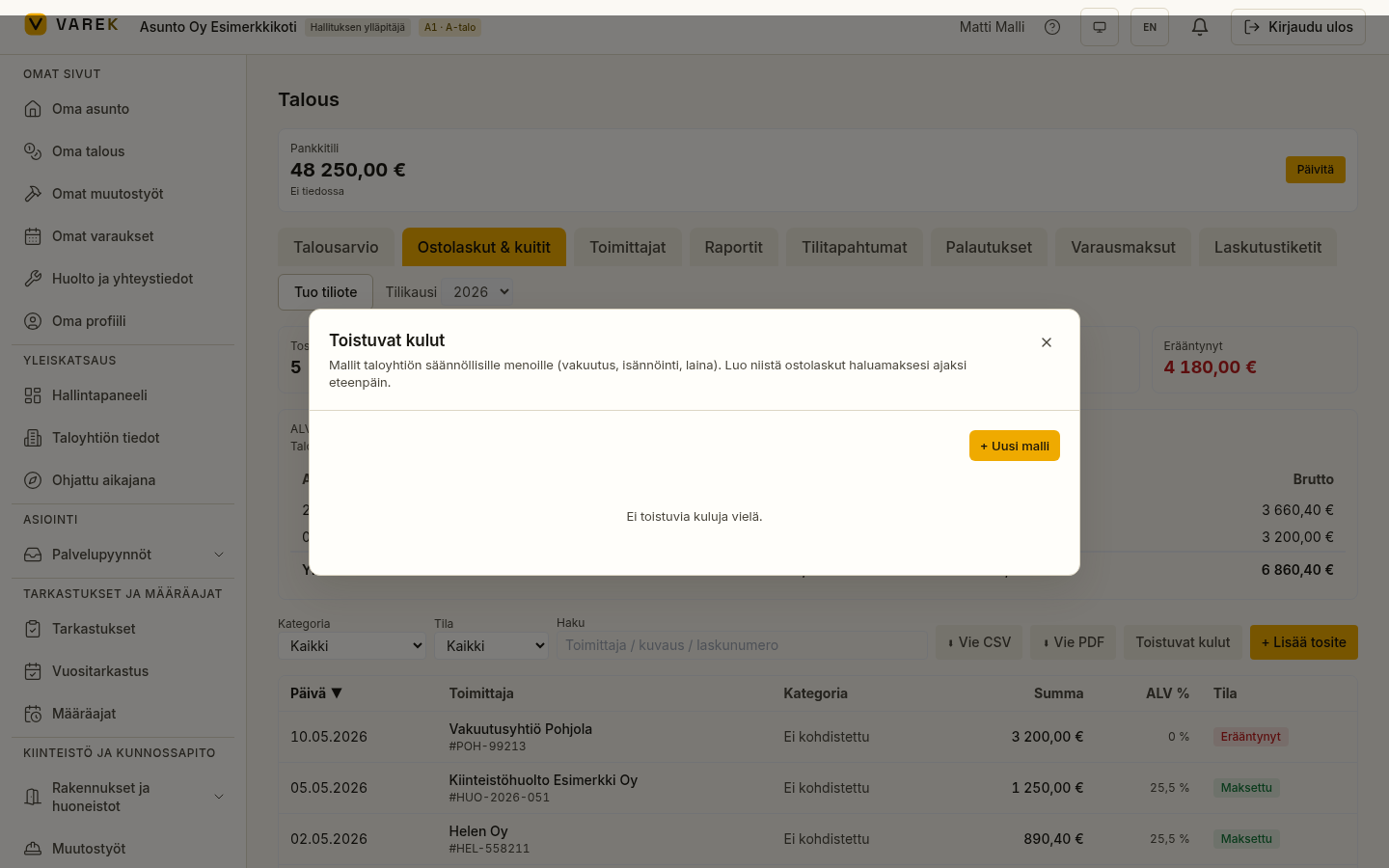
Section titled “Recurring costs”The Recurring costs tool lets you create a template for a regularly recurring expense and generate the coming periods’ entries at a moment you choose yourself — with no automatic scheduling.
- On the purchase-invoice tab, press Toistuvat kulut (Recurring costs).
- Press + Uusi malli (New template) and fill in the supplier, amount, category, interval (in months) and start date. Save.
- Generate the entries from the row: choose a count (3 / 6 / 12) and press Luo seuraavat N kautta (Create the next N periods).
Each template shows which period was last generated and which is next. You can safely attempt to generate the same period again — no duplicate entries are created.
Result
Section titled “Result”Paid purchase invoices are recorded into the budget actuals and appear in the VAT calculation. Recurring-cost templates save the repetitive manual work period after period.