RS safety documents
The safety documents (turva-asiakirjat) of a new-build RS-scheme property are the documents the housing company must obtain under the Housing Transactions Act (AsKL 2:3) — the articles of association, the financial plan, the building permit, drawings and works specifications, plus the documents produced after completion such as the operating and maintenance manual. The Turva-asiakirjat page keeps track of which documents the company already holds and which are still missing.
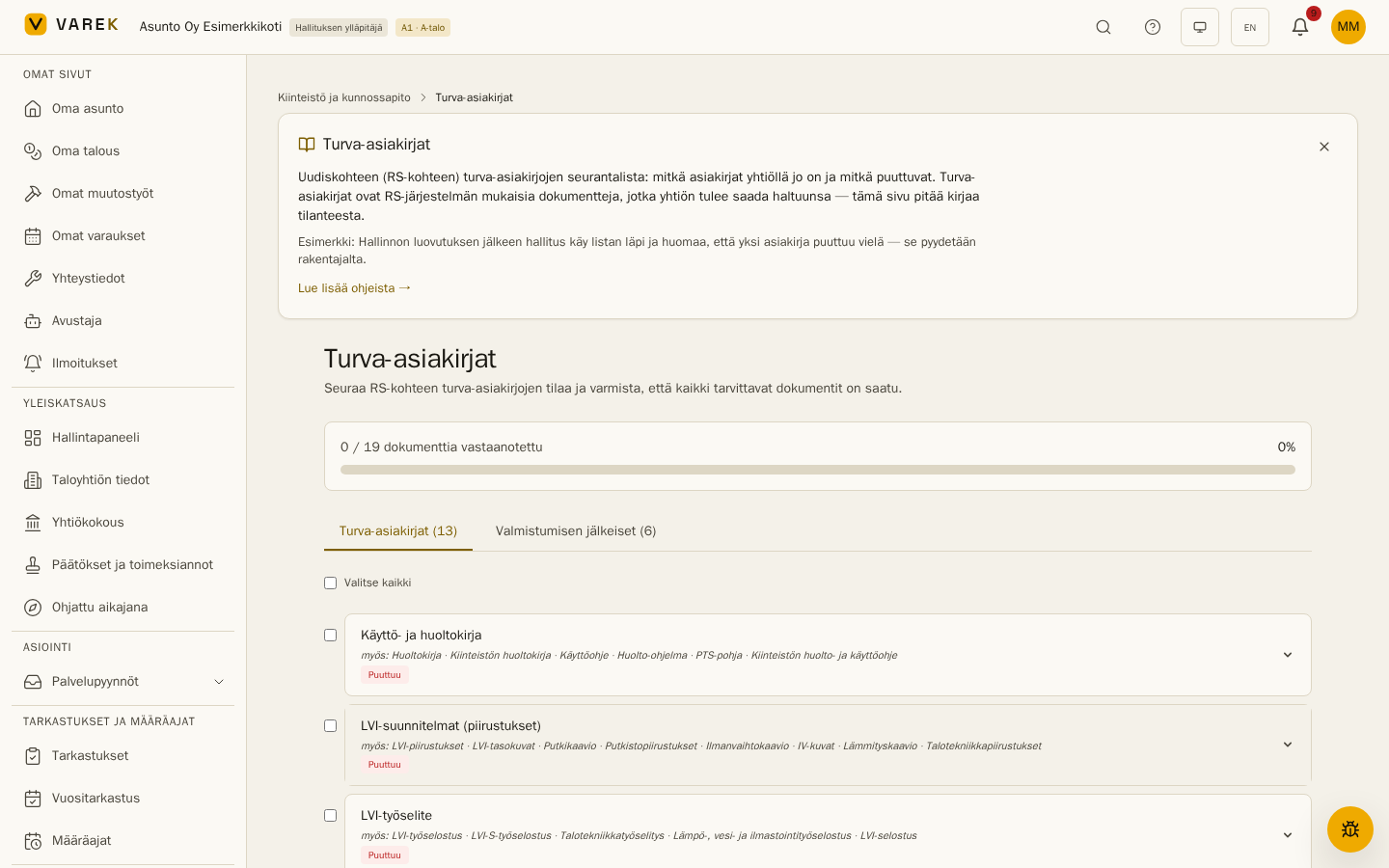
Creating the checklist
Section titled “Creating the checklist”A board administrator creates the checklist once with Luo turva-asiakirjojen tarkistuslista (Create the safety-document checklist). The list contains all 19 statutory documents in two groups:
- Safety documents (13) — the documents delivered before / at the handover of administration (articles of association, financial plan, building permit, drawings, works specifications, ground investigation).
- Post-completion (6) — the documents produced once the building is complete (operating and maintenance manual, as-built drawings, the statutory site inspection record, commissioning inspection reports, energy performance certificate, moisture management report).
The progress bar at the top shows how many documents have been received. All members of the housing company can see the list; board members change the statuses.
Document rows and alternate names
Section titled “Document rows and alternate names”Each row shows the document’s canonical name, a status badge and an also: line — the same documents go by many names (e.g. Taloussuunnitelma = Rahoituslaskelma = RS-taloussuunnitelma), so you can recognise the term you personally know. Expanding a row shows the description and the why it matters rationale.
Status tracking
Section titled “Status tracking”A document’s status progresses: Missing → Requested → Received → Verified. If a received document has shortcomings, mark Discrepancy found and request a corrected version (mark it received again when it arrives). Change the status from the row’s buttons, or for several documents at once: tick the rows (or Select all) and use the Change status action.
Attaching documents
Section titled “Attaching documents”Attach document links a file to the safety document: pick a file already stored on the Documents page, or upload a new one (it is saved to the Documents page at the same time). Linked files are shown on the row, and a link can be removed without deleting the file itself.
Request letter to the builder
Section titled “Request letter to the builder”Create request letter produces a ready-made letter requesting the document from the builder within 14 days, citing the Housing Transactions Act’s safety-document obligation. The company name and date are filled in automatically — copy the letter to the clipboard and send it by email or post.
Example
Section titled “Example”After the handover of administration the board goes through the list: 17 documents are in hand, but the moisture management report and the site inspection record are missing. The board creates a request letter for both, marks them as requested and attaches the files to the rows as they arrive — until the progress bar shows 19/19.